If you are an Amazon seller in 2025, you need the best tools to stay ahead. Selling on Amazon requires smart strategies. You also need smart support. One of the smartest tools today is using Amazon Chrome extensions. These tools help you save time. They also help you increase profits. I have tested most of the tools on this list across my own client accounts, not just read about them, and I will flag honestly where one falls short or where a cheaper alternative does the job just as well. Many sellers face tough competition. Many also struggle with pricing, reviews, keywords, and product research. To grow fast, you must work smart. Using powerful Amazon Chrome extensions can change everything.
These extensions offer quick results. They also offer better insights. You can improve your listings. You can find winning products. You can beat your competitors. These tools can help you manage everything better.
Why You Must Use Amazon Chrome Extensions in 2025

The Amazon market keeps growing. More sellers are entering every day. You cannot survive by doing everything manually. You must use the right Amazon Chrome extensions to stay ahead.
These tools help you do deep product research. You can also study your competitors. You can see what works and what does not. You also save time using automation. This gives you more hours to focus on scaling your business.
In 2025, Amazon will demand faster decisions. Buyers will want quicker service. You can only win if you use tools that help you work faster. These extensions give you that edge. In my experience running multiple client accounts at once, the sellers who fall behind are rarely the ones with worse products, they are the ones still doing manual research that a proper extension would do in seconds.
Helium 10: All-in-One Power Tool
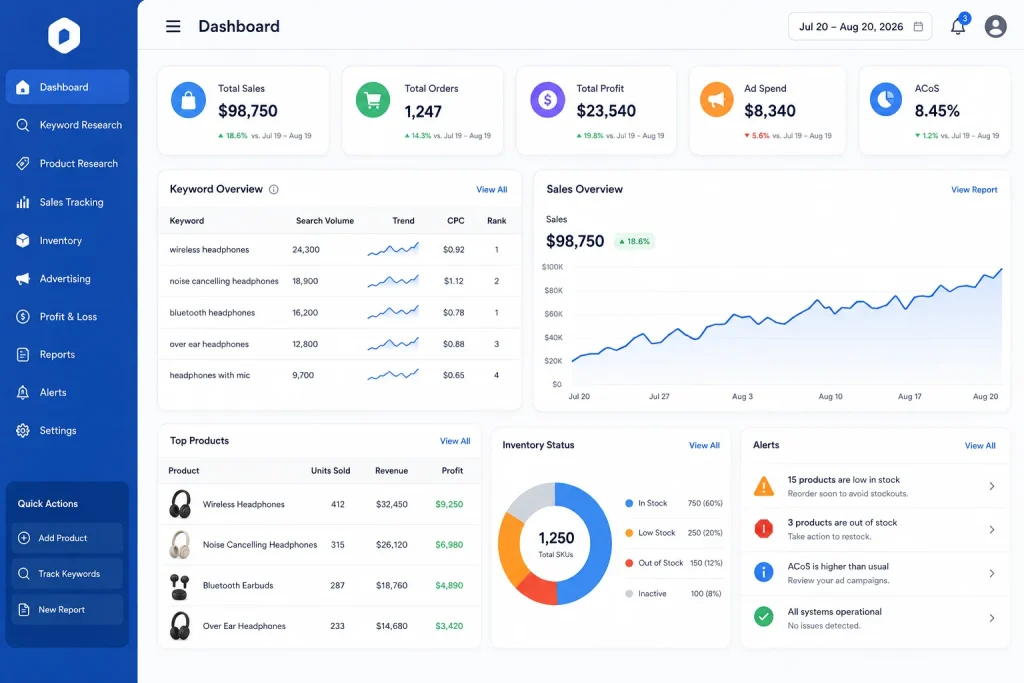
Helium 10 is one of the most powerful Amazon Chrome extensions for 2025. It offers everything you need in one tool. You can do keyword research. You can also track sales and find winning products.
Sellers love its accurate data. They also trust its keyword tracker. You can use Helium 10 to optimise your listings. You can also manage your inventory and profits easily. It gives you everything in one dashboard.
This extension can also help you improve rankings. It offers a detailed keyword index checker. It also offers alerts on listing changes. You can keep your listings protected. You can also watch your competition. I recommend this as the first tool I set up for any new client, simply because it replaces three or four smaller tools at once and the time saved switching between apps adds up fast.
Jungle Scout: Best for Product Research
Jungle Scout has stayed strong in the market. It still leads in product research tools. You can use this Amazon Chrome extension to find high-demand and low-competition products fast.
This tool gives real sales data. It shows how well products sell. You can also use filters to find niche items. Jungle Scout also helps you see what buyers want. You can create better listings with this insight.
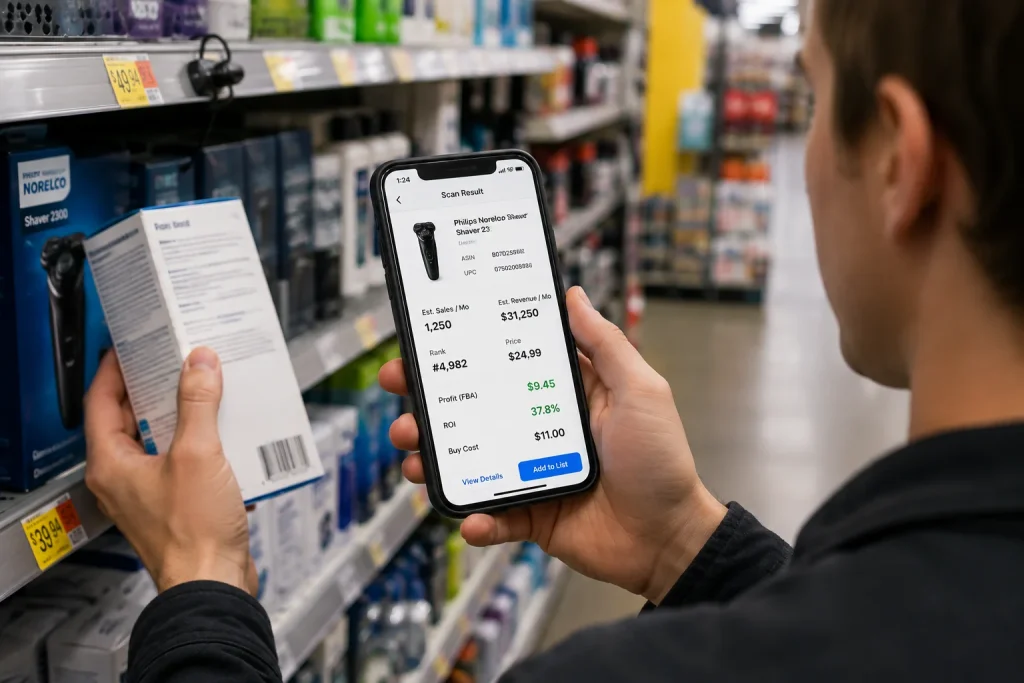
Its sales tracker is powerful. You can monitor top products. You can also analyse your competitors. This makes it easier to plan your next move. Jungle Scout also has a mobile app called Scoutify that pairs with a barcode scanner, which I find genuinely useful for sellers doing retail arbitrage or sourcing trips, scanning products in store to check profitability before buying stock.
Keepa: Price and Sales Tracker
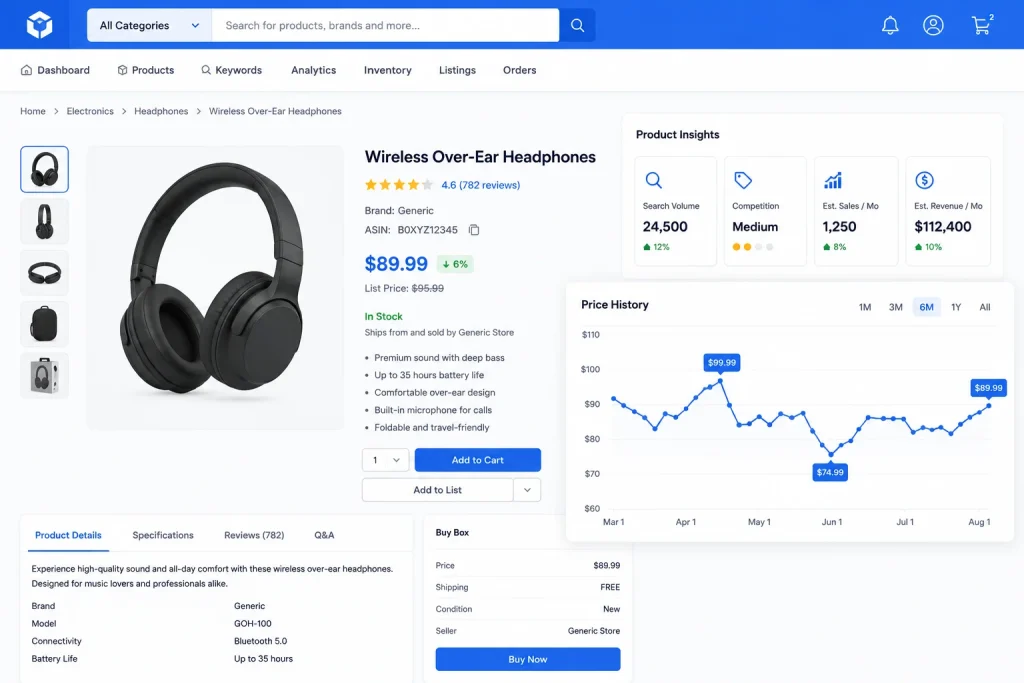
Keepa helps you track price and sales history. It is one of the most trusted Amazon Chrome extensions. You can see changes in price. You can also see when demand goes up or down. This tool helps you know the best time to buy or sell. You can avoid overpriced inventory. You also know when your competitors drop prices. This helps you make smart decisions.
Keepa works in the background. It also adds graphs directly on Amazon product pages. You can get insights without leaving the page. It makes your product research faster. What is worth knowing is that Keepa is just as popular with everyday Amazon buyers as it is with sellers, since its price history graphs are the quickest way to check whether a deal is actually a deal or just a listed discount that never really changes. Camelcamelcamel is the other well-known price tracking option buyers tend to compare it against, though I find Keepa’s data more detailed for seller-level research.
AMZScout: Market Trends and Sales Estimator
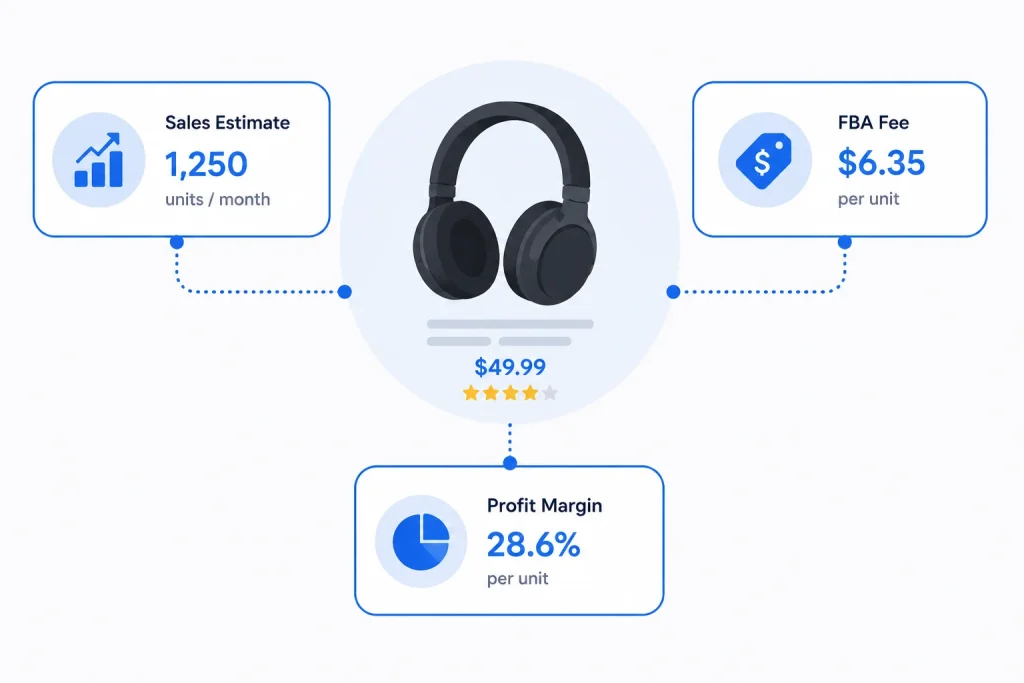
AMZScout offers strong features. It gives you detailed sales estimates. It also shows product trends. This is a reliable Amazon Chrome extension for sellers in 2025.
You can see real-time data. You can also analyse competition. It helps you find profitable niches. You get to see FBA fees and profit margins. You can avoid products with low returns. This extension also offers keyword tools. It helps you optimise listings. It also helps you rank higher. The clean interface also makes it easy to use for beginners.
DS Amazon Quick View and What to Use if It Is Not Working for You
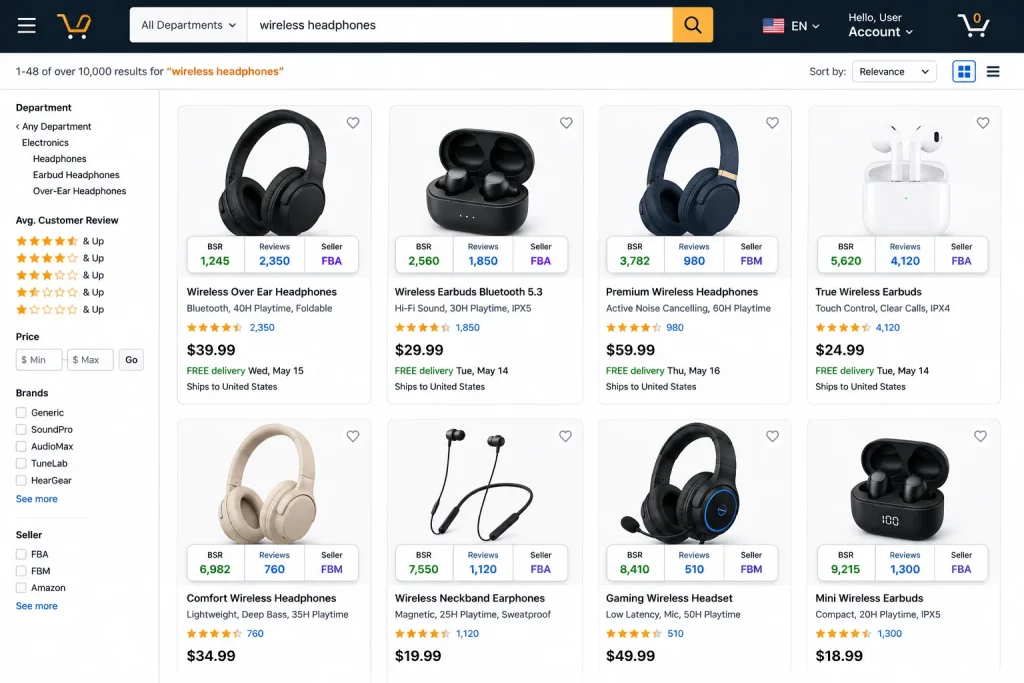
DS Amazon Quick View adds extra data to product pages. You can use this Amazon Chrome extension to quickly check BSR, reviews, and seller details. It shows seller information right on the search page. You do not need to click each product. You can also check if Amazon is selling the item. This helps you avoid tough competition.
Sellers use this tool to move faster. You can scan the whole page in seconds. You get the data instantly. This helps you decide which items are worth researching.
I get asked fairly often what to use if DS Amazon Quick View stops working properly or feels outdated, since it is an older extension that has had stability issues for some sellers. In those cases, I usually point clients toward the search page overlay features built into Helium 10 or Jungle Scout instead, since both now offer similar on-page BSR and seller data without needing a separate standalone extension.
Best Amazon Chrome Extensions for Keyword Research

To win on Amazon, you need the right keywords. You must also know what buyers type when searching. Using these Amazon Chrome extensions makes keyword research easier and more accurate:
- Helium 10 Magnet: Find high-traffic keywords with low competition. It shows keyword volume and relevancy. You can also track keyword trends.
- AMZScout Keyword Tracker: Monitor keyword rankings over time. You can see how your changes impact your position. You also stay updated with daily insights.
These keyword tools give you power. You can rank faster. You can also find hidden keyword gems. Many sellers use these tools daily. They help you grow your reach. Buyers type different things. These tools help you stay in their minds. You can create listings that match their searches. That means more sales and visibility.
Top Amazon Chrome Extensions for Listing Optimization
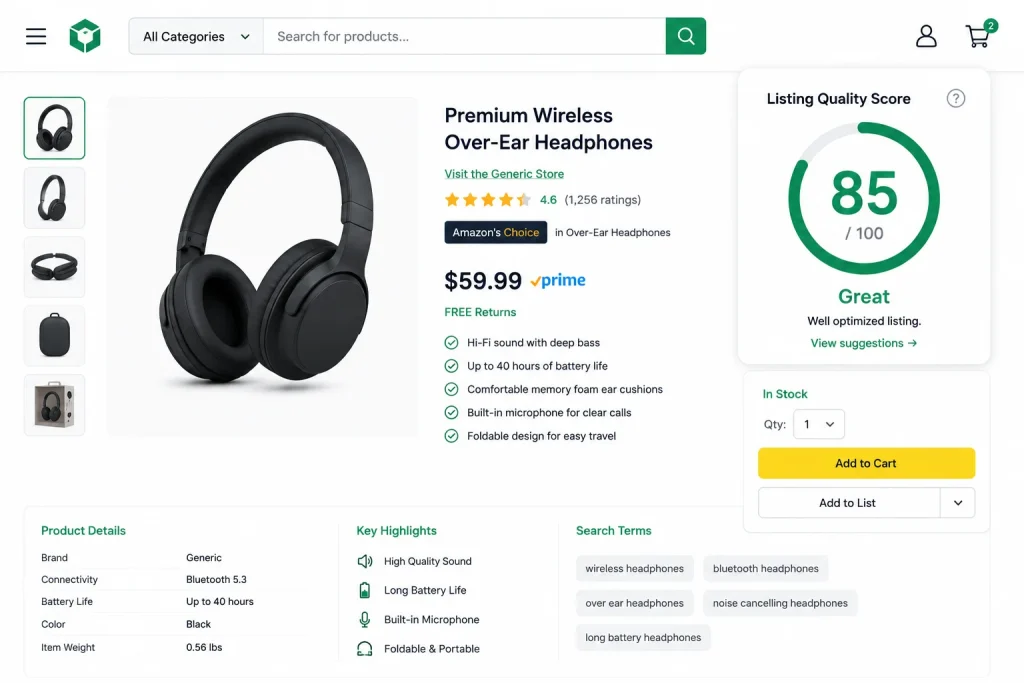
Optimising your listing can increase conversions. It can also bring more traffic. These Amazon Chrome extensions help you improve your listings:
- Listing Analyser by Helium 10: This tool gives you a score for your listing. It checks titles, bullet points, images, and keywords. You can improve weak areas fast.
- SellerApp Chrome Extension: It shows real-time suggestions for improving your copy. You can fix issues and test new ideas. It also shows competitor data for comparisons.
Listing quality matters. A strong listing brings clicks. A weak one gets ignored. Use these tools to make sure your listing stands out. It also helps buyers trust your brand. Your copy must match your product. You must also use strong keywords. These tools show what to change. You can stay updated as the market changes.
Best Amazon Chrome Extensions for Buyers and Deal Hunters
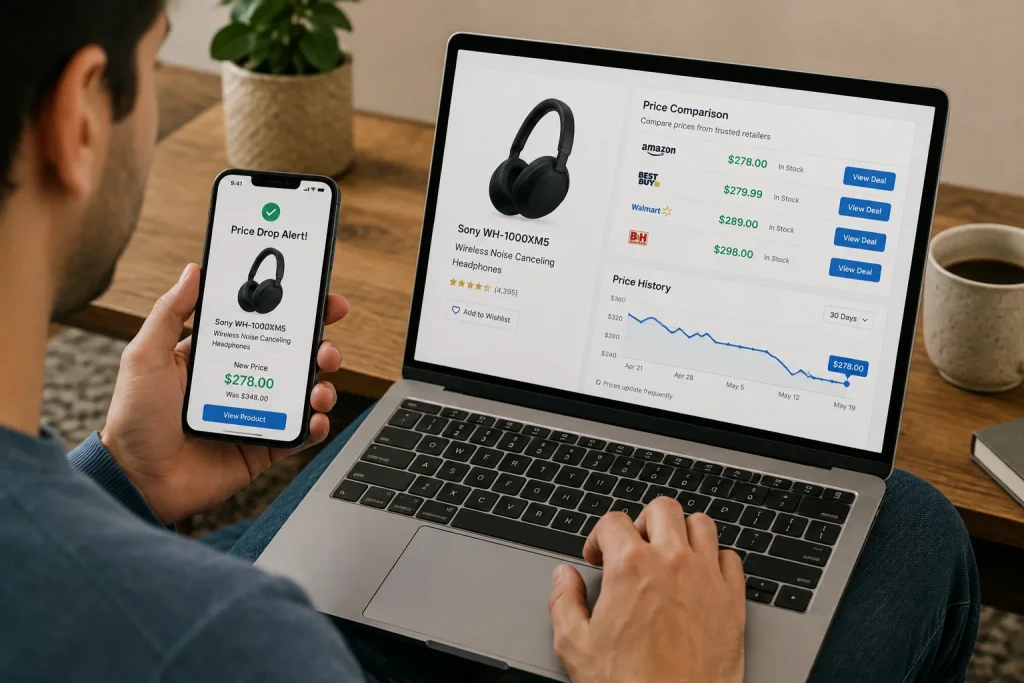
Not every seller researching this topic is looking purely at selling tools, and a fair number of everyday Amazon shoppers land on lists like this one too, so it is worth covering the buyer side honestly.
Amazon Assistant is official. Amazon created this tool. It helps sellers and buyers. It is one of the most useful Amazon Chrome extensions for daily tasks. You can compare products fast. You also get price alerts. It adds shortcuts to your browser. This saves time. It also shows your orders and wish lists quickly.
For buyers specifically asking which extension actually helps you save money or track a real discount, Keepa remains the most reliable answer I give people, since its price history chart shows whether a current “deal” price is genuinely lower than the item’s typical price or just a temporary markup being discounted back down. Camelcamelcamel offers a similar buyer-focused price tracking service if you want a second source to cross-check against.
Sellers use Amazon Assistant to understand Amazon’s view. It helps you stay in touch with the platform. You also get quick access to deals and offers.
FBA Calculator Chrome Extensions: Know Your Profit Before You Sell
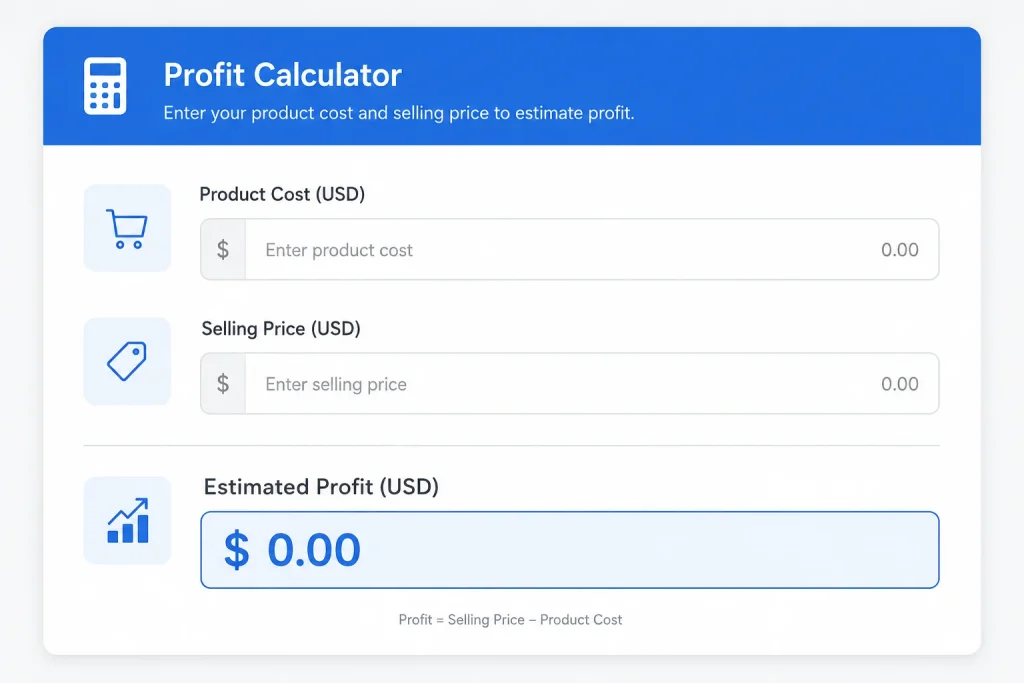
Profit matters. Many sellers fail because they ignore costs. These Amazon Chrome extensions help you calculate FBA fees. These tools help you avoid losing money. You can also use them to compare multiple products. It saves time and avoids manual mistakes. You only need to input product details. It shows you how much you will earn.
Every serious seller must use this. You do not want surprises. Know your costs before listing. This helps you price your products wisely. You also avoid hidden losses.
RevSeller: Simple Tool With Smart Data
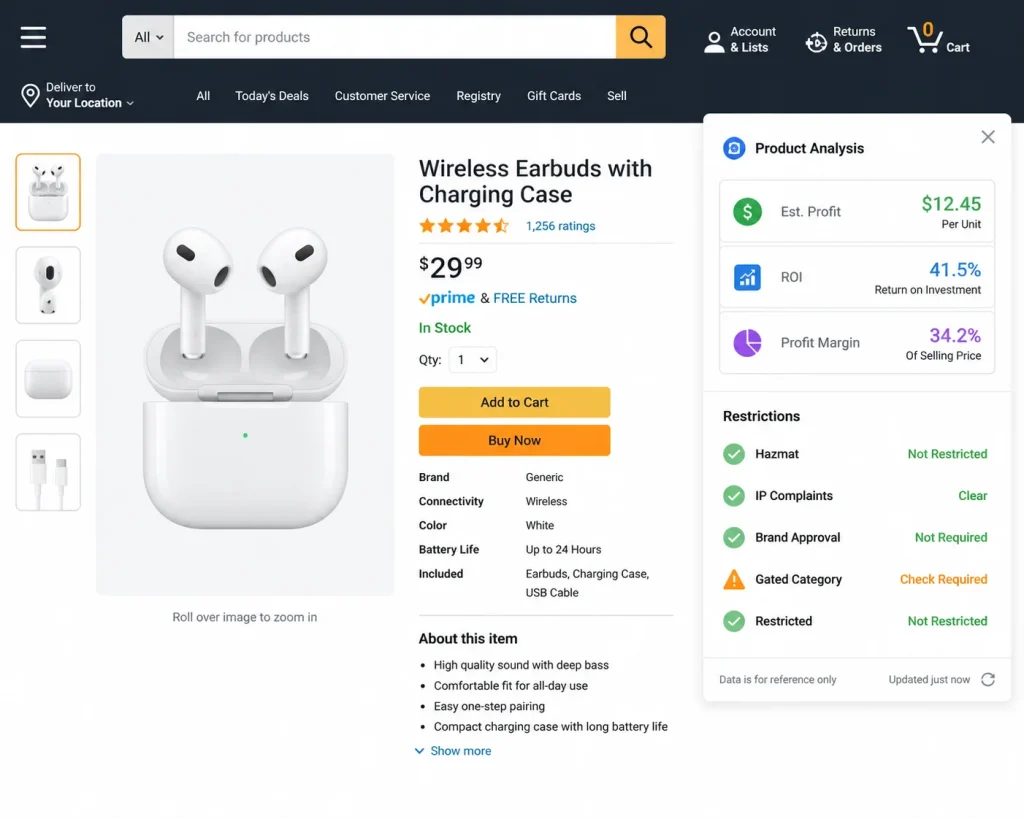
RevSeller adds valuable info to product pages. You can see profit, ROI, and FBA fees. It is one of the easiest Amazon Chrome extensions to use. This tool helps you make fast decisions. You do not need to switch tabs. You can view product margins directly on the product page. It also shows restrictions and category info.
Sellers who use RevSeller save time. You also avoid risky items. This tool works well with Keepa and others. It creates a full picture with less effort.
Sellerboard Profit Analytics Extension
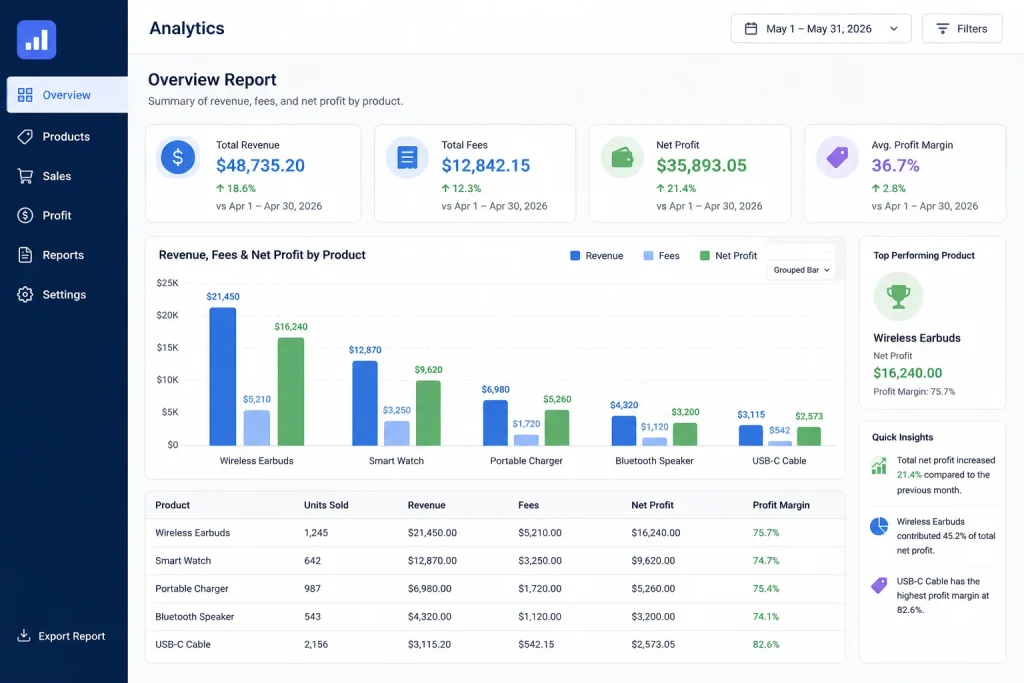
Sellerboard helps you track profits in detail. This Amazon Chrome extension focuses on real numbers. You see your true income after costs. It shows storage fees, returns, ads, and more. It also tracks every product you sell. You can check which ones give the most profit. You can also find weak products fast.
This tool works in real time. It also gives clean reports. You can export data. You can share it with your team. It helps you stay organised.
Case Studies: Chrome Extensions in Practice
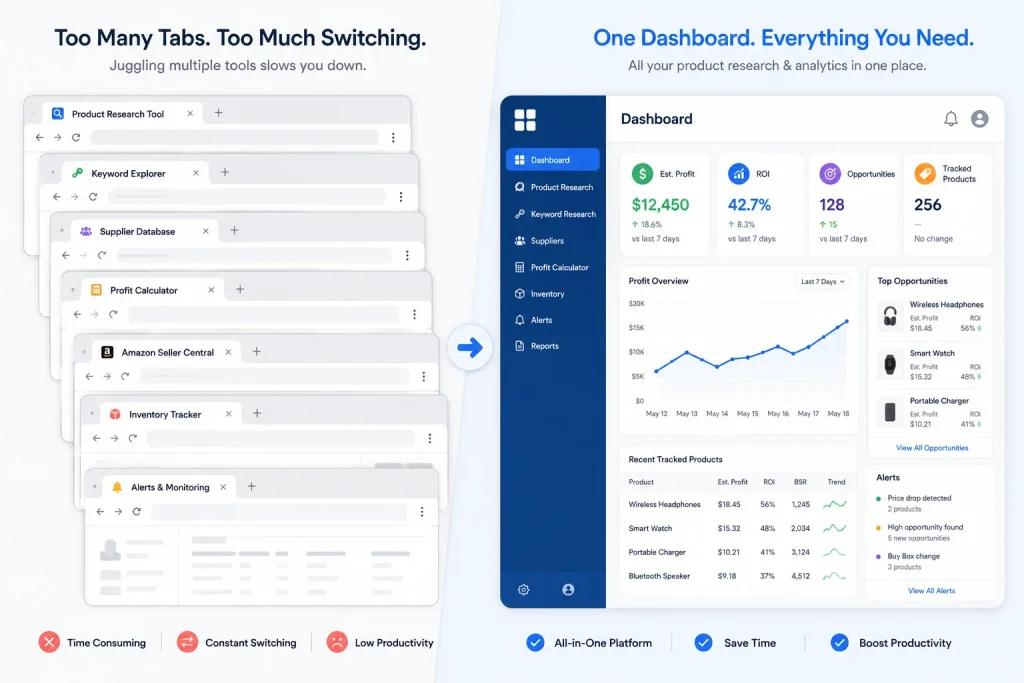
Case Study 1: Replacing Three Tools With One to Cut Research Time
A client running a small team of two virtual assistants was juggling separate subscriptions for keyword research, listing scoring, and competitor tracking, and their team was spending noticeable time each week just switching between dashboards. I consolidated their workflow onto Helium 10 alone, since it covered all three functions they actually used regularly. Their weekly research time dropped by roughly a third, and they also cut their monthly software costs by consolidating three subscriptions into one.
Case Study 2: Catching a Pricing Mistake Before It Cost a Launch
Another client was about to source a new product based on what looked like strong, consistent sales estimates from a research tool alone. Before greenlighting the order, I ran the product through Keepa’s price history and found the price had been artificially inflated for a short window right before the sales estimate was pulled, which skewed the numbers to look more attractive than the product’s real, sustained demand actually was. We held off on that specific product and found a better opportunity instead. This is exactly why I never trust a single tool’s snapshot data without cross-checking it against price history first.
Frequently Asked Questions About Amazon Chrome Extensions
If DS Amazon Quick View feels outdated or unreliable, Helium 10 and Jungle Scout both offer similar search page overlay data, including BSR and seller information, built directly into their broader toolsets rather than as a standalone extension.
DS Amazon Quick View shows BSR directly on search results pages, and Keepa shows BSR history over time on individual product pages, which is more useful if you want to see how a product’s rank has trended rather than just its current position.
Keepa and Camelcamelcamel are the two most widely used price history tools for checking whether an Amazon deal is a genuine discount. I generally recommend Keepa first for its more detailed graphs, with Camelcamelcamel as a useful second check.
Yes. Amazon Assistant is Amazon’s own official extension built for both buyers and sellers, offering price alerts, quick order access, and product comparisons. Keepa and Camelcamelcamel are also widely used by everyday shoppers, specifically for price history checking.
Jungle Scout’s Scoutify mobile app pairs with their main toolset and includes a barcode scanner built for in-store sourcing and retail arbitrage, letting you check profitability on a product before you buy it.
Not necessarily. In my experience, most sellers overspend on overlapping tools. Helium 10 alone covers keyword research, listing analysis, and competitor tracking for most sellers. I typically only add Keepa and a dedicated profit tracker like Sellerboard or RevSeller on top of that, rather than running five or six separate subscriptions.
Conclusion
If you want to win in 2025, use the best Amazon Chrome extensions. These tools save time. They also boost your profits. They help you understand the market. They also give you real-time data. You cannot scale your business without them.
Every top seller uses at least one of these extensions. Many use more than five. These tools help you stay focused. You work smarter. You also grow faster. It is time to upgrade your seller toolkit. For more seller help, insights, and tips, visit our expert team at Amazon Consultant today.