Amazon sellers must use the right advertising data to grow their profits. Many sellers run ads without tracking how well their ads perform. That leads to wasted money and poor business growth. I have reviewed ad accounts for sellers who were confidently scaling a campaign with a great-looking ACoS, while their actual brand sales were flat or falling behind it. That gap is exactly why TACoS vs ACoS matters and why I want to walk through both properly here, along with a third metric, ROAS, that often gets lumped into the same conversation and genuinely deserves its own explanation.
Learning these metrics helps sellers make smarter ad spending decisions. They also help control the ad budget in a better way. If you want to grow, you must know what these metrics mean and, just as importantly, when each one is the right one to look at.
What Is ACoS?
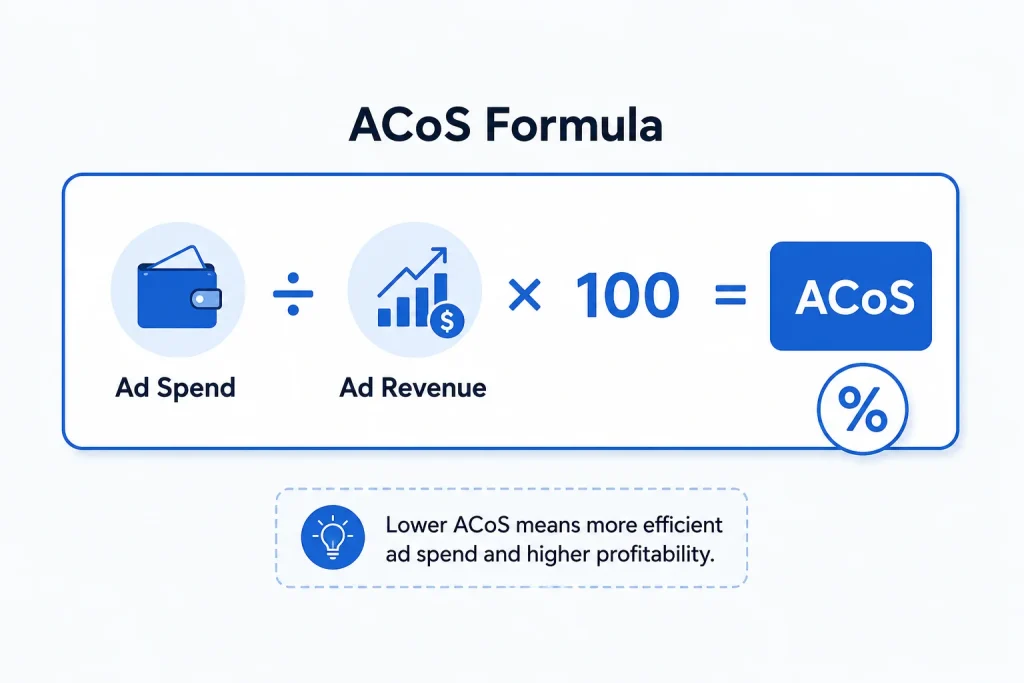
ACoS stands for Advertising Cost of Sales. This metric tells you how much you spend on ads to make a sale.
The formula: ACoS = (Ad Spend ÷ Ad Revenue) × 100
You can calculate ACoS by dividing ad spend by ad revenue. If you spent £20 and earned £100 from that ad, your ACoS is 20%. This metric shows how efficient your ad campaign is. A lower ACoS means better use of your money. A higher ACoS shows you spend more to earn less. In my experience, ACoS is the right dashboard to check daily, since it reacts quickly to bid changes and keyword performance.
What Is TACoS?
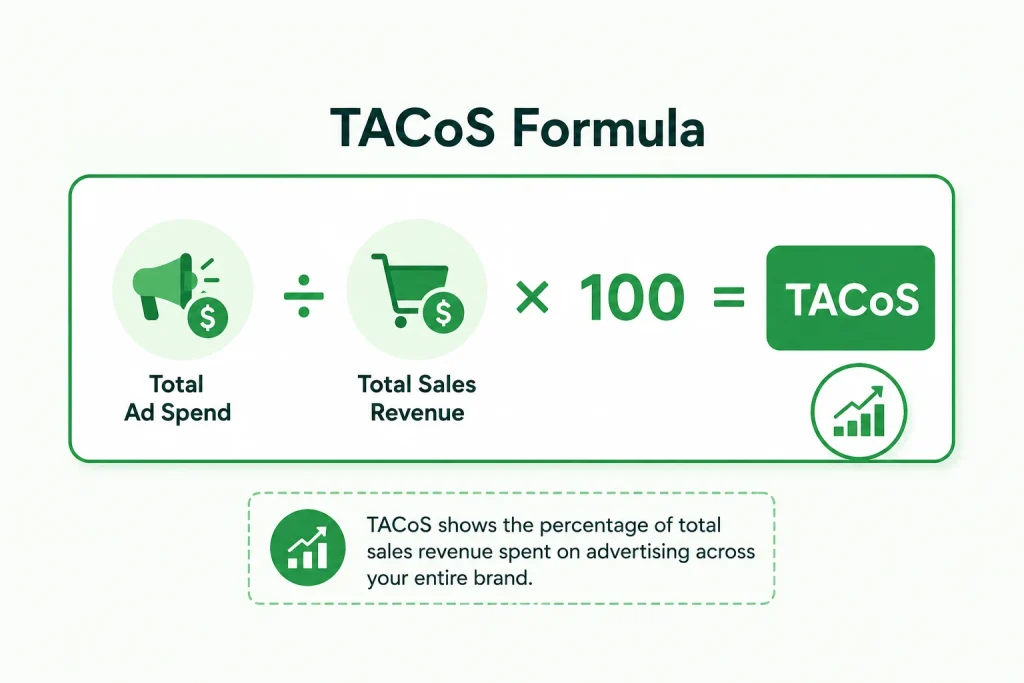
TACoS stands for Total Advertising Cost of Sales. It includes ad spend compared to your total sales, not just sales from ads.
The formula: TACoS = (Total Ad Spend ÷ Total Sales Revenue) × 100
TACoS gives a bigger view of how ads support your whole brand. If your TACoS is falling over time, your brand is growing. You must track this to see if your ads help your full business. This tells you if your ads also drive organic sales. I treat TACoS as a monthly or quarterly number rather than something to react to daily, since it moves slowly, and reacting to small weekly swings in it usually leads to unnecessary panic.
What Is ROAS, and How Does It Compare to TACoS and ACoS?
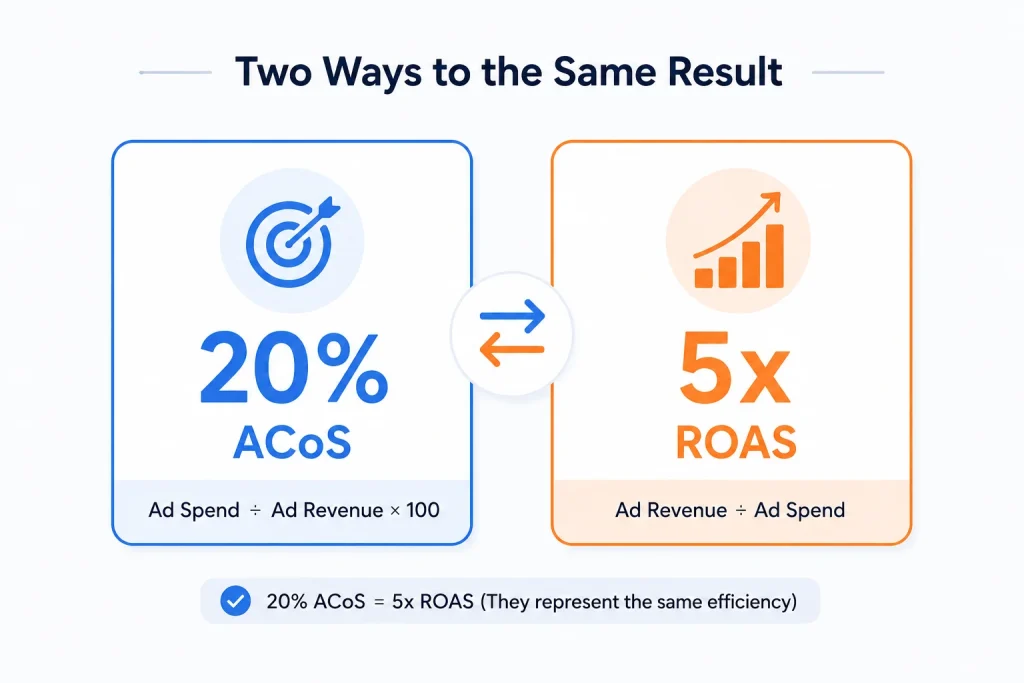
ROAS stands for Return on Ad Spend, and it is the third metric sellers often confuse with the other two. ROAS tells you how many pounds or dollars in ad-driven revenue you get back for every pound or dollar spent on ads.
The formula: ROAS = Ad Revenue ÷ Ad Spend
Here is where I see the most confusion. ROAS and ACoS are essentially two sides of the same coin. A 20% ACoS is the same result as a 5x ROAS, since ROAS is really just the inverse of ACoS expressed as a multiple instead of a percentage. Neither one accounts for your organic sales, which is exactly the gap TACoS fills. I generally tell clients to think of it this way: ACoS and ROAS both measure how efficient a single campaign is at generating sales directly from that ad spend. TACoS measures something different entirely, how much your overall business depends on ads versus organic demand. You genuinely need all three in different moments, not just one favourite metric.
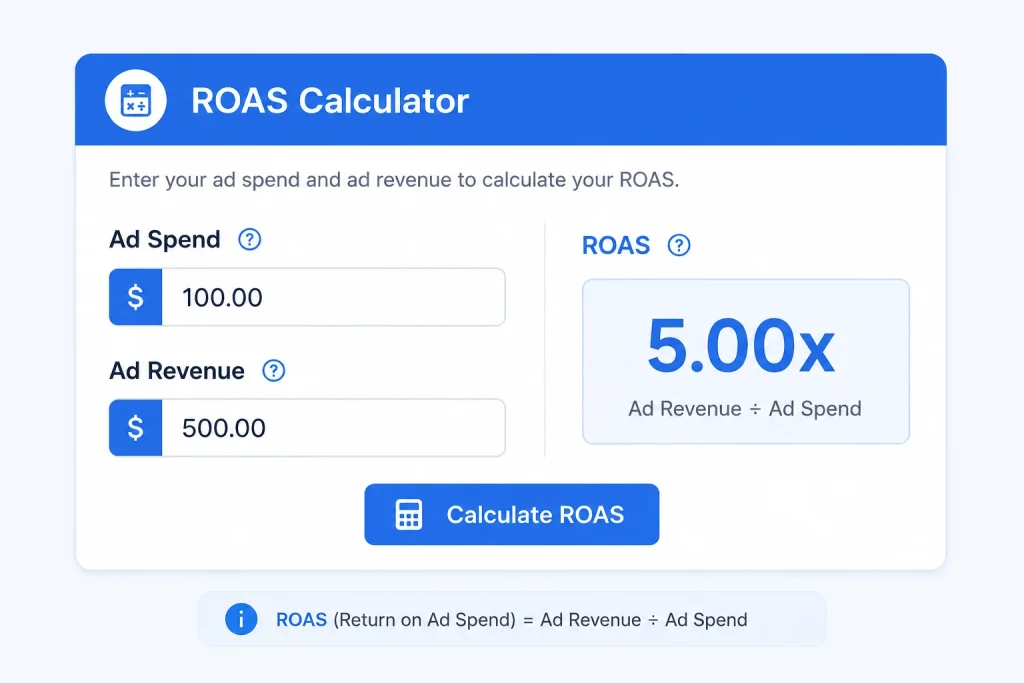
ROAS (Return on Ad Spend) Calculator
Where These Metrics Come From: Amazon Advertising and Beyond
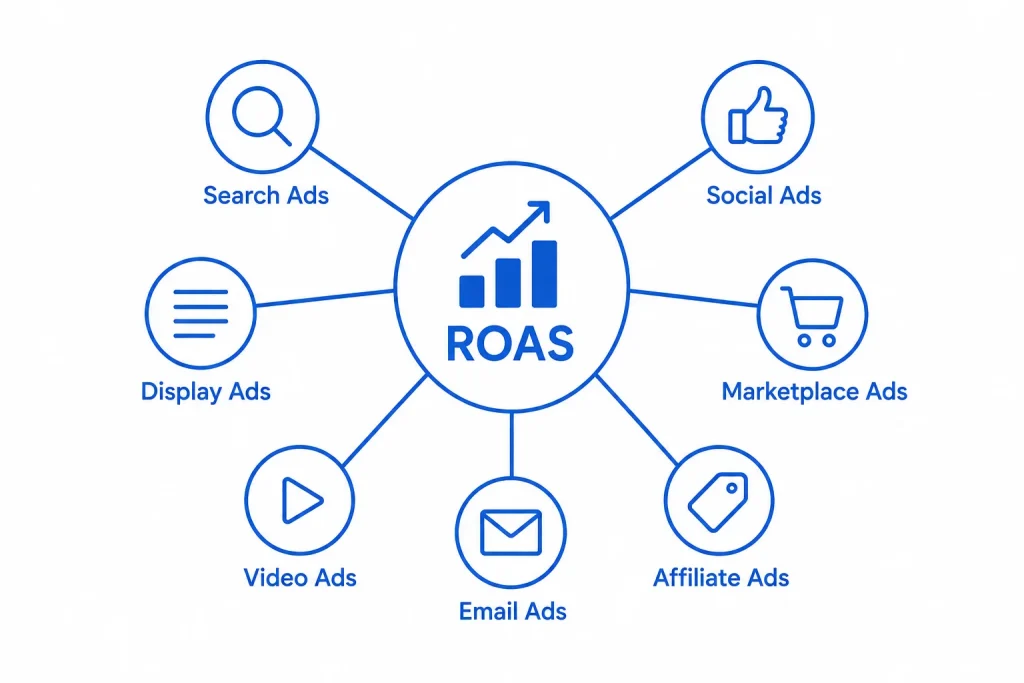
ACoS and TACoS started as Amazon-specific advertising metrics, built around how Amazon’s own ad platform reports spend and sales. ROAS predates both and is used far more broadly across digital marketing and e-commerce generally, including Google Ads, Meta Ads, and other platforms outside Amazon entirely.
I mention this because sellers sometimes assume these are purely Amazon concepts with no relevance elsewhere. The underlying logic, comparing what you spend on advertising to what it actually returns, applies to any e-commerce business, not just Amazon sellers. If you run ads on your own website or across other marketplaces, the same TACoS-style thinking, ad spend against total revenue rather than just ad-attributed revenue, is worth tracking there too.
Why ACoS Is Not Enough
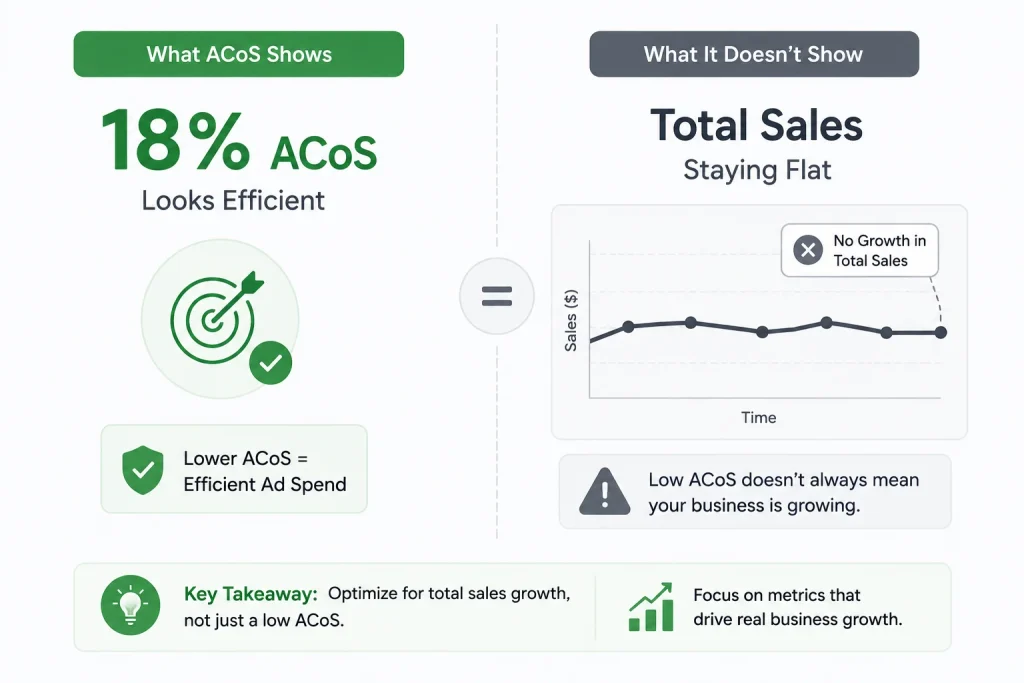
ACoS looks only at ad-driven sales. That gives a limited view of ad success. Many sellers make the mistake of tracking only ACoS. A campaign may have a low ACoS, but it may not help overall sales. That means you may think your ads are good, but they are not. I have seen this exact scenario with a client whose ACoS looked excellent quarter after quarter, while their total brand sales barely moved, because the ads were simply capturing demand that would have converted anyway rather than creating new demand.
You must check both ACoS and TACoS. Only then can you make smarter ad spending choices. You will also see how ads support total brand growth.
TACoS vs ACoS: Key Differences
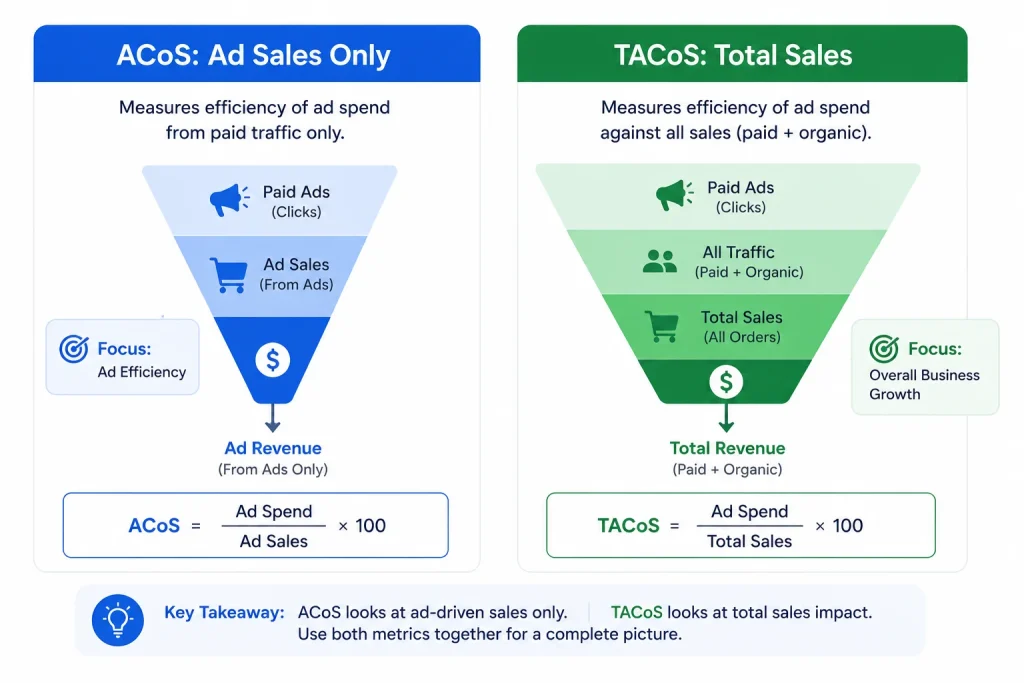
You must know the difference between TACoS and ACoS. These two metrics may sound similar, but they are very different. TACoS looks at total sales. ACoS looks at only ad sales. TACoS gives a bigger picture of brand growth. ACoS only tells ad campaign performance. Use both to see if your ads increase organic sales over time. This gives you full control of your ad strategy.
How to Make Smarter Ad Spending Decisions
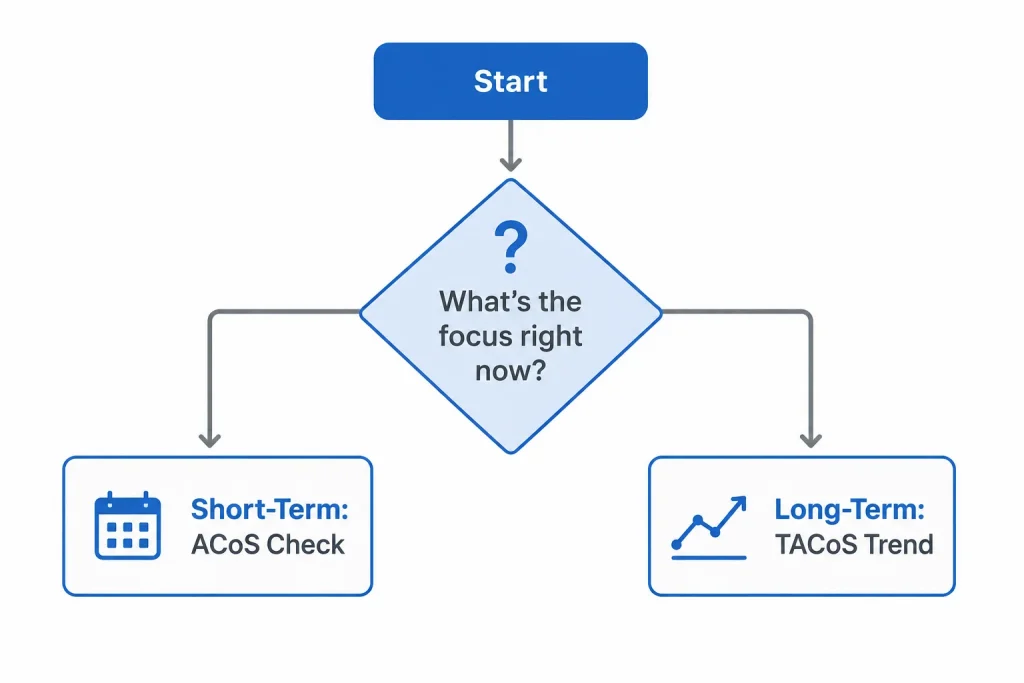
Sellers must not waste money on ads that bring no results. That is why you need to make smarter ad spending choices every time you launch campaigns. First, check if your ad brings sales at a good cost. Next, track how that ad helps increase total brand sales. That way, you see short-term and long-term gains.
Keep tracking performance every week. Use that data to grow your business smartly. Always use ads that help reduce TACoS over time.
Benefits of Tracking Both Metrics
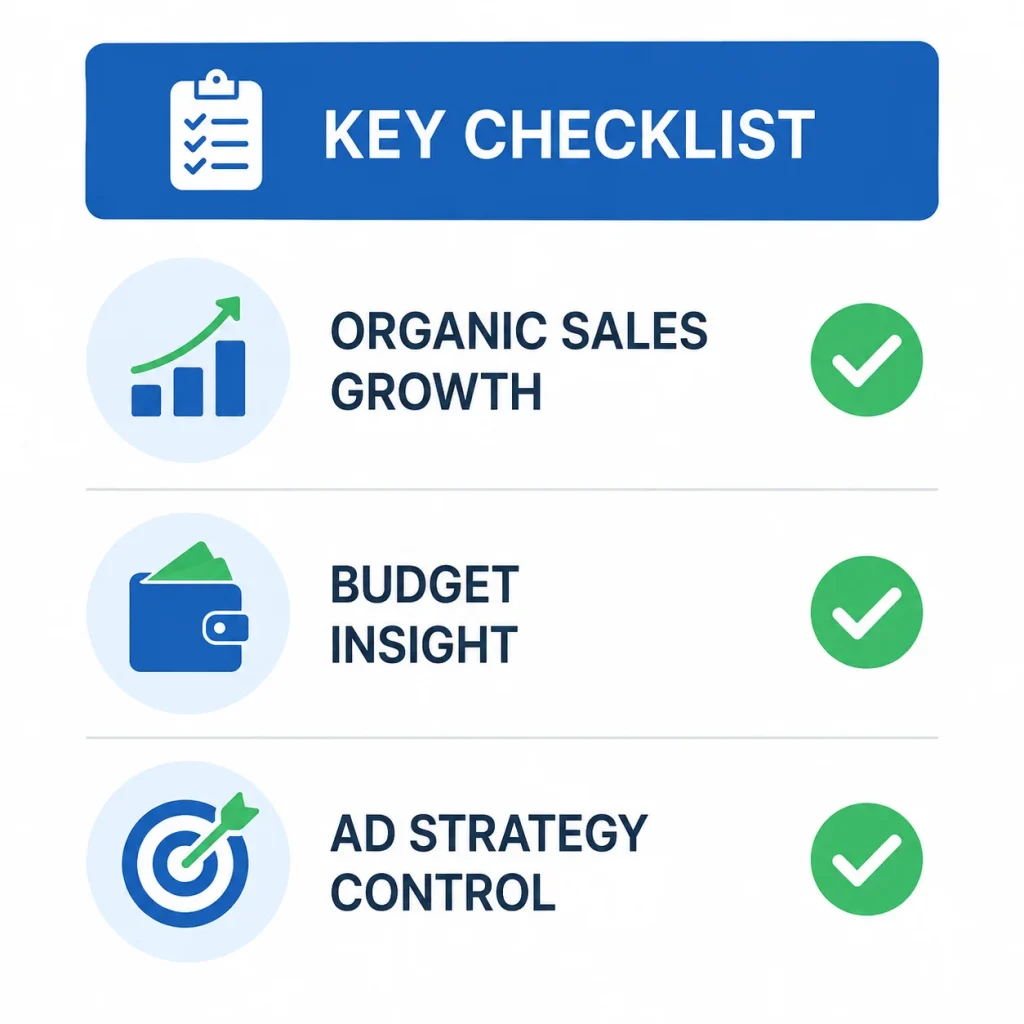
You get many benefits when you track both ACoS and TACoS. You gain better insight into what is really working.
- You see if your ads bring long-term organic sales.
- You find out if your budget gives real brand growth.
- You get more control over your ad strategy.
Tracking both metrics leads to faster business growth. It also helps you save money. Sellers who track these make better choices.
How the Search Query Performance Dashboard Helps
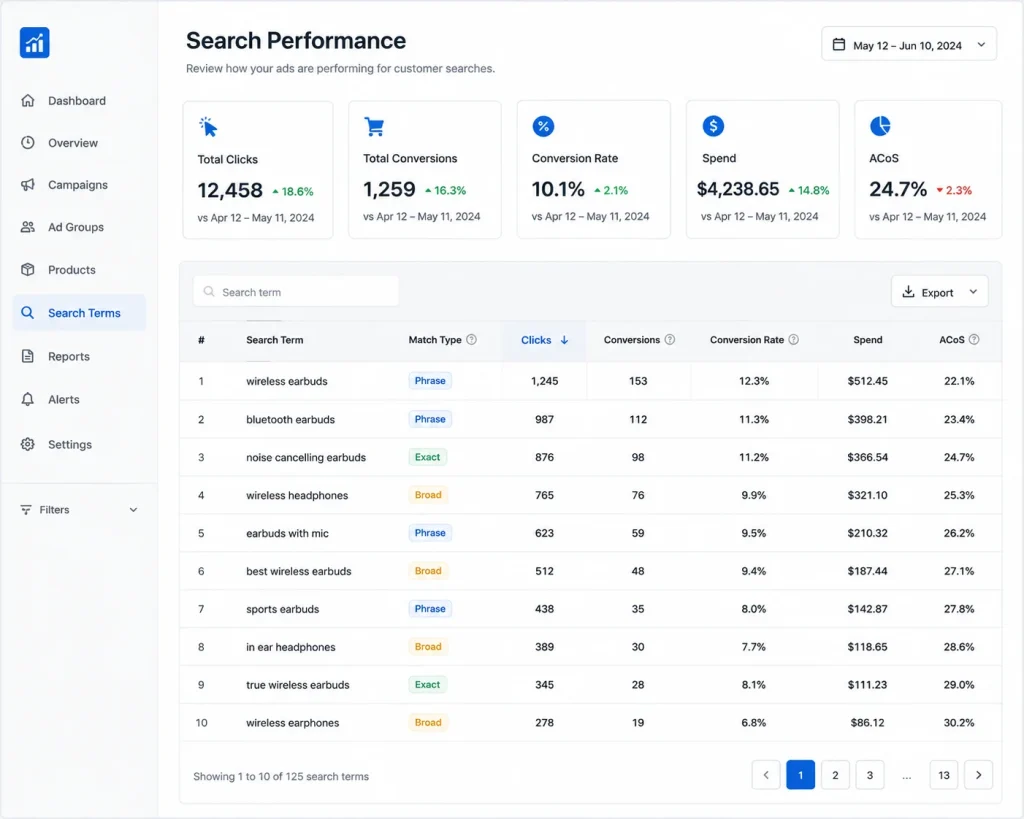
You must use the Search Query Performance Dashboard to track real results. It shows what search terms drive your product sales. This tool tells you how shoppers find your listings. It also shows which terms bring clicks, conversions, and visibility.
You can use this dashboard to refine your ads. You will remove weak keywords. You will boost high-performing ones. This leads to smarter ad spending across all campaigns. I pull this dashboard alongside a client’s ACoS and TACoS numbers every month, since it usually explains why a metric moved rather than just confirming that it did.
Signs of Healthy TACoS vs ACoS Balance
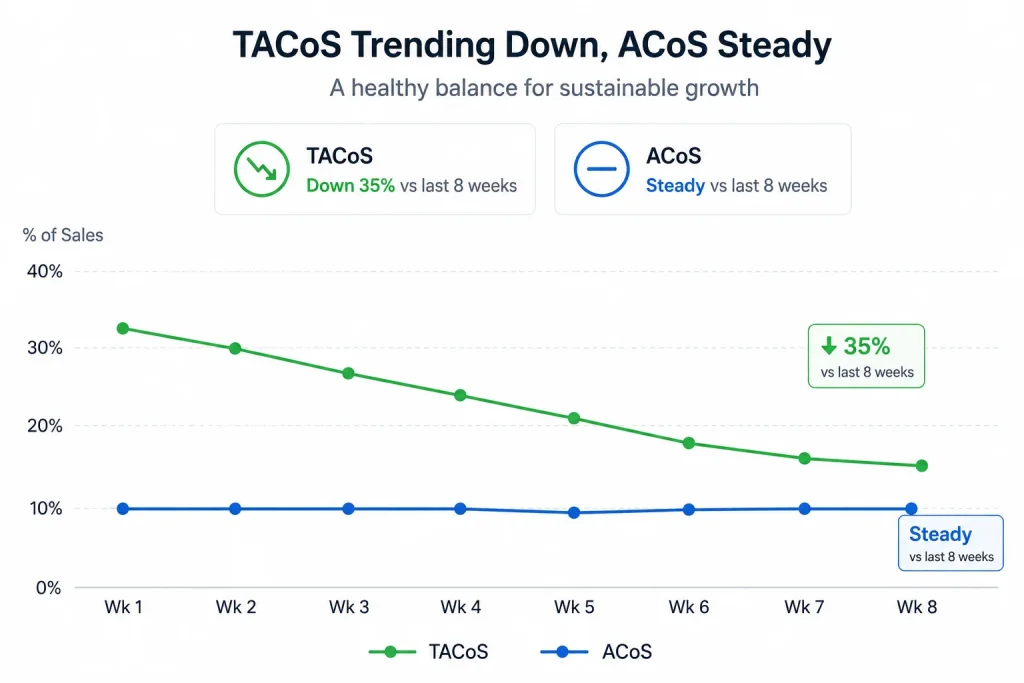
You must know how to read your ad reports. That helps you spot healthy signs early. Your TACoS should go down while your ACoS stays steady.
- A falling TACoS means ads help your full brand grow.
- A stable or low ACoS means your ads are efficient.
- If TACoS increases, your organic sales may be dropping.
Tracking this balance lets you scale smartly. Use this to shift your ad money to products with strong brand growth potential.
Fixing High TACoS or ACoS
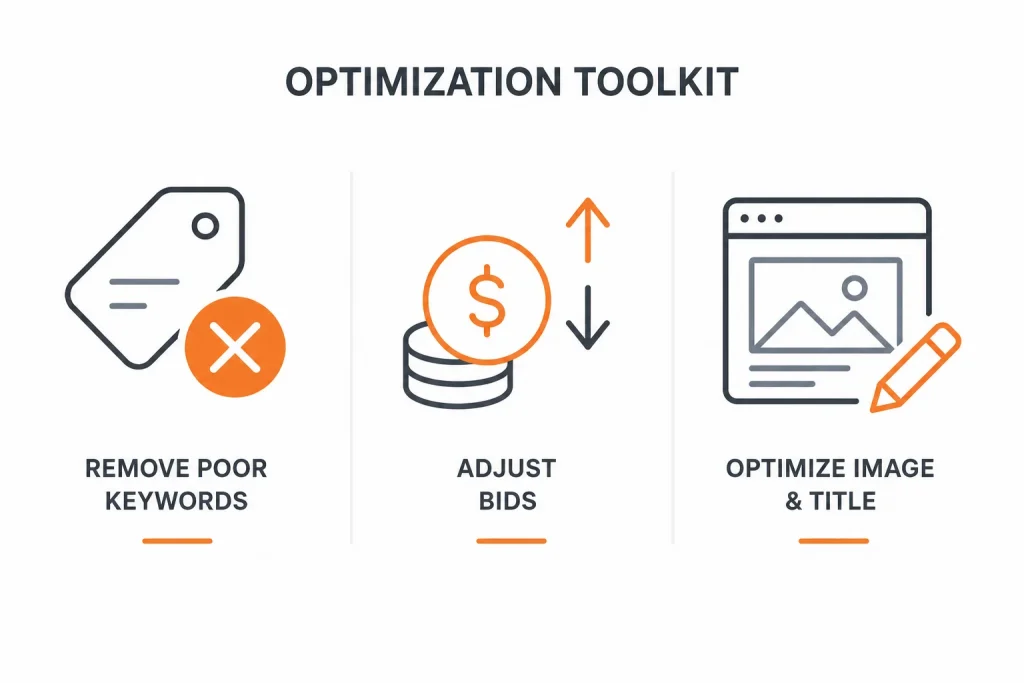
If your TACoS or ACoS is too high, you must act fast. High values mean poor use of money. They may show bad keyword targeting. You can start by removing poor keywords. Then adjust your bids. Also, improve your listing titles and images.
This will help lower your cost. Over time, your ACoS and TACoS will both improve. You must stay alert to these signs.
Case Studies: TACoS and ACoS in Practice
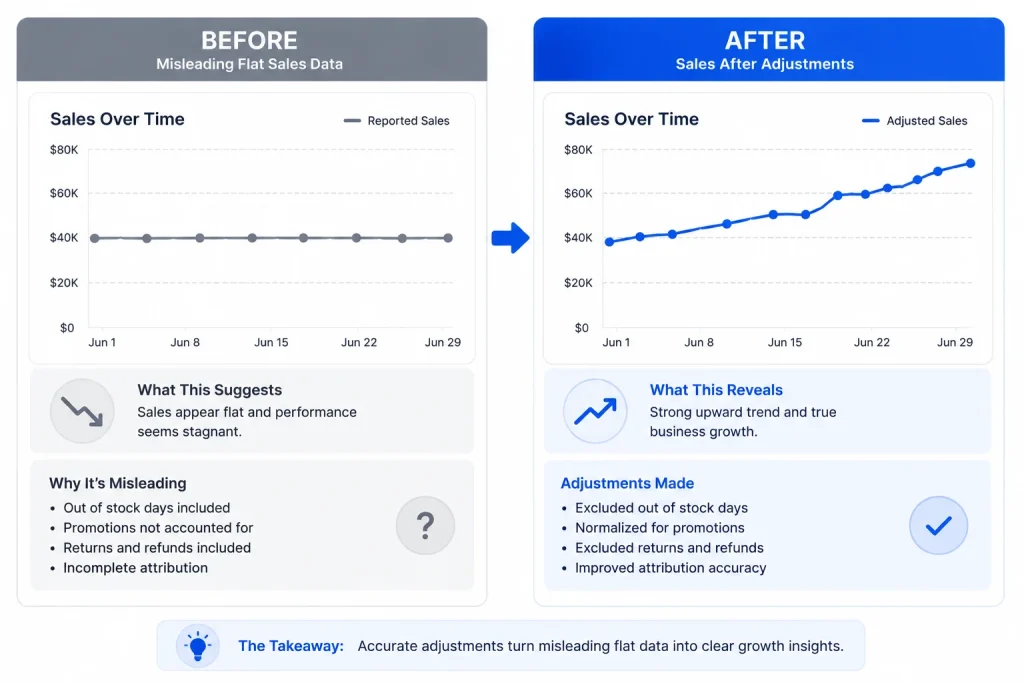
Case Study 1: A Great ACoS That Was Hiding a Real Problem
A client selling home organisation products had an ACoS sitting comfortably around 15%, which looked strong on paper. When I pulled their TACoS alongside it, their organic sales had actually been declining for two months while ad spend quietly increased to compensate. Their low ACoS was masking the fact that ads were propping up total revenue rather than growing it. We paused several underperforming ad groups, reinvested that budget into fixing weak listing images that were suppressing organic conversion rate, and within six weeks their TACoS had dropped even though their ACoS on individual campaigns barely changed, because organic sales had genuinely recovered.
Case Study 2: Using ROAS and TACoS Together to Justify a Bigger Ad Budget
Another client was hesitant to increase ad spend because their ACoS would rise in the short term. I showed them their ROAS was still a healthy 6x on the campaigns in question, well above their breakeven point, and modelled how their TACoS had actually been falling steadily over the previous quarter as brand awareness grew. That combination gave them the confidence to increase spending on a proven campaign. Their TACoS continued its downward trend over the following quarter, confirming the increased spend was fuelling real organic growth rather than just buying more ad-dependent sales.
Creating a Long-Term Growth Plan
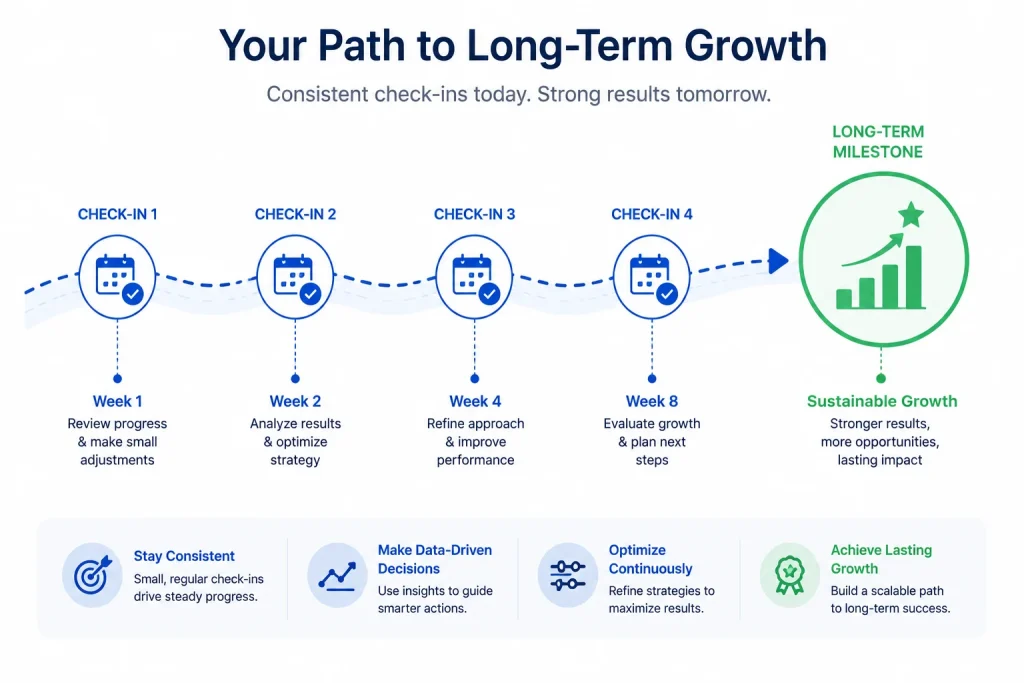
You can use ACoS for daily ad changes. You can use TACoS for long-term brand growth. Use both to guide your product ads. Track every product’s ad cost and full sales. Then plan how much you can spend. This keeps your strategy strong.
Make small changes often. Let each one improve your smarter ad spending plan. That leads to long-lasting results.
Frequently Asked Questions About TACoS, ACoS, and ROAS
TACoS compares your total ad spend to your total revenue from all sales. ACoS compares your ad spend only to the revenue from ad-driven sales. TACoS shows how ads help grow your whole brand. ACoS tells how efficient your ad campaigns are.
ACoS and ROAS both measure the efficiency of your ad-spend specifically, just expressed differently, ACoS as a percentage of ad spend to ad revenue and ROAS as a multiple of revenue returned per pound or dollar spent. TACoS is the outlier of the three, since it measures ad spend against your total business revenue, not just ad-attributed sales, which makes it the only one of the three that reflects your overall brand health.
Tracking both gives a full view of ad performance. ACoS shows how your ads perform in the short term. TACoS reveals long-term brand growth. You need both to make smarter ad spending decisions. Each one helps you optimise your ad strategy.
A rising TACoS means your ads do not help boost total sales. It shows that your organic sales may be falling. This can also mean you rely too much on paid ads. You must check your keywords, bids, and listings to fix it.
The Search Query Performance Dashboard helps you see what terms drive clicks and sales. It shows which keywords perform best. This helps you remove weak search terms and improve your ads. It also supports better targeting for long-term growth.
The specific terms originated with Amazon’s advertising reporting, but the underlying idea applies to any e-commerce business running paid ads alongside organic sales. If you sell through your own website or other marketplaces, tracking total ad spend against total revenue, not just ad- attributed revenue, tells you the same kind of story TACoS tells Amazon sellers.
Conclusion
Amazon sellers must use clear ad data to grow their store. ACoS helps you track short-term results. TACoS shows long-term success. ROAS fills in the efficiency picture from a slightly different angle. Use all three, in the right moments, to plan better ads.
You must also use the Search Query Performance Dashboard often. That helps you see what terms bring value. It keeps your spending smart.At Amazon Consultant, we help sellers read these metrics the right way. We guide you to lower costs and grow smarter.