Managing inventory on Amazon has become more complex in 2025. Every Amazon seller needs to keep track of stock levels. You must also manage orders smoothly.
This is why Amazon inventory management tools and software are now more important than ever. These tools help sellers avoid overstocking. They also help prevent stockouts. You can meet customer demand without running into supply chain issues.
I have set up and compared most of the tools on this list across real client accounts, not just read through their marketing pages, and I will be direct about where each one genuinely fits and where it does not. In this blog, you will learn about the best tools for inventory management in 2025. Each tool offers something special. Some focus on automation. Others help with forecasting. This guide will give you all the details you need.
Why You Need Inventory Management Tools in 2025
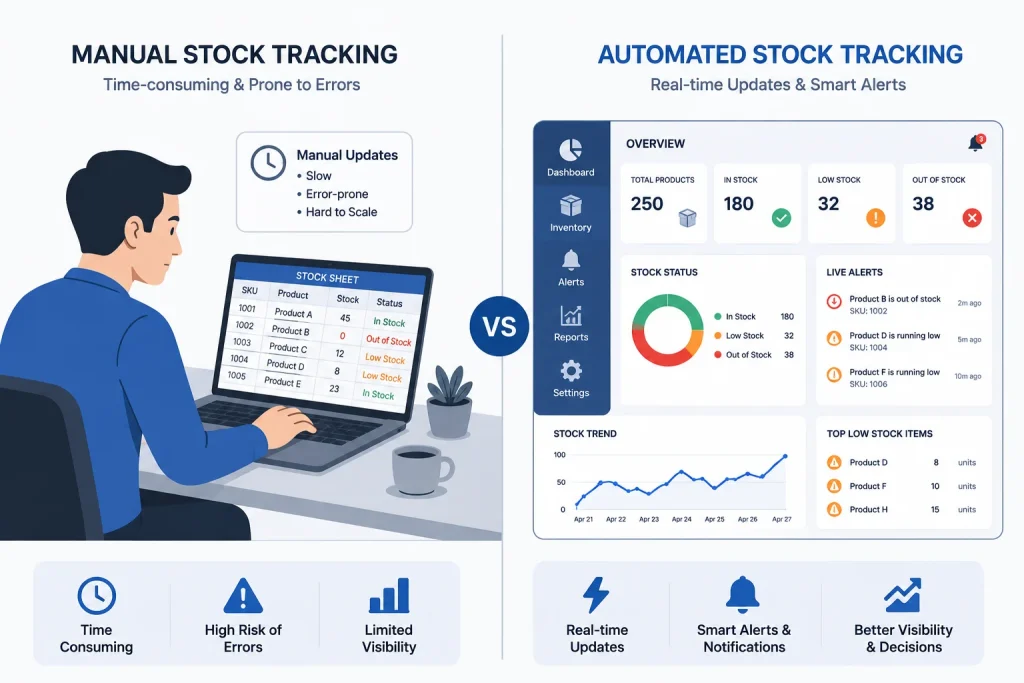
Amazon sellers face huge competition today. Inventory mistakes can cost you sales. They can also affect your ranking. You need a tool that keeps your inventory in check every minute.
Manual tracking is not good enough anymore. You must automate inventory management to grow your business. Tools can alert you when stock is low. They can also forecast future needs based on your past orders.
With the right Amazon inventory management software, you can save time. You can also avoid costly errors. Sellers who use inventory tools often report higher profits. You can make smarter decisions every day. In my own work with clients, the accounts that struggle most are almost never the ones with a bad product, they are the ones still tracking stock in a spreadsheet that is a week out of date by the time anyone looks at it.
Top Features to Look For in Inventory Tools
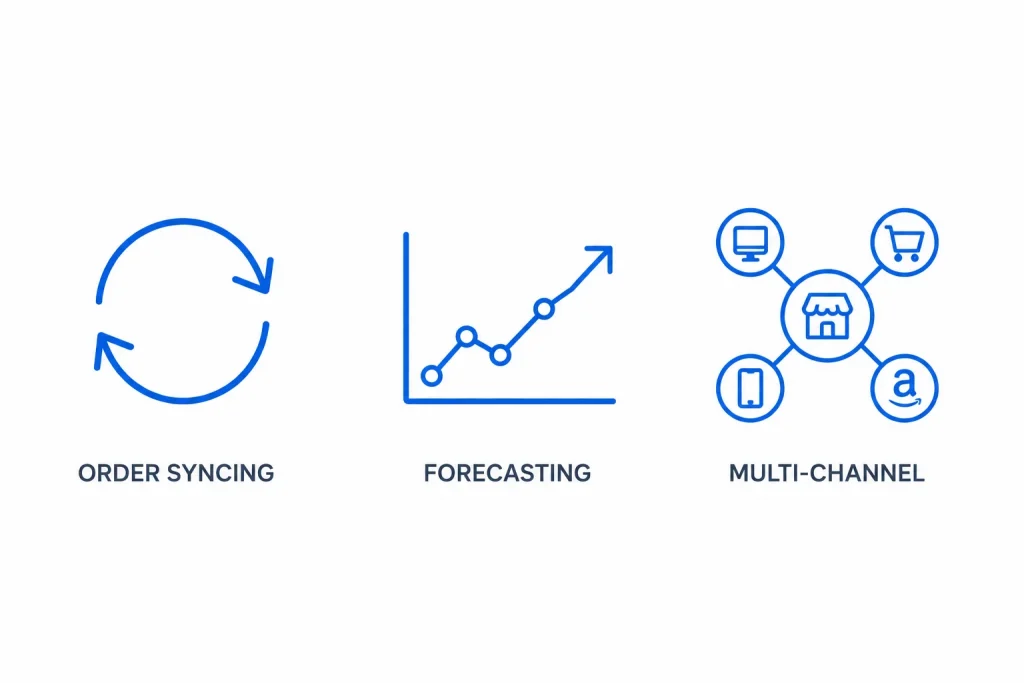
Amazon sellers need powerful features. The right tool should help with order syncing. It should also update inventory levels in real time.
Look for tools that offer stock forecasting. Tools should help you predict what customers will buy next. This helps you plan ahead without wasting money.
Your ideal tool must also support multi-channel selling. You may sell on Amazon and other platforms. A good tool will keep all inventory data in one place.
Sellbrite
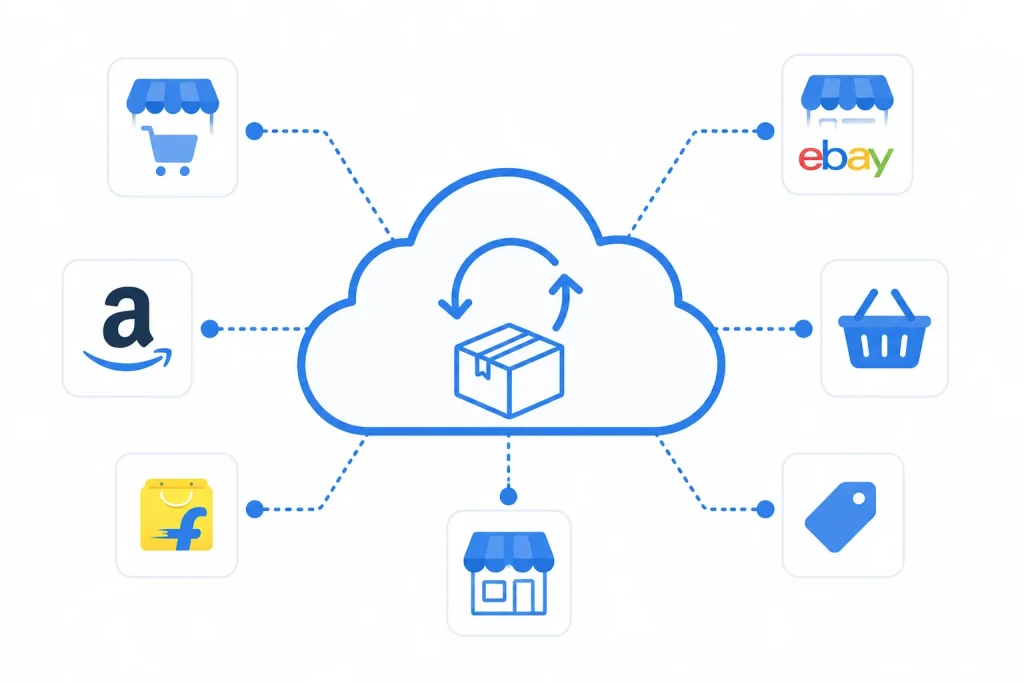
Sellbrite is a cloud-based solution. It offers inventory syncing across different marketplaces. Amazon sellers love its easy interface. You can also list products quickly.
This tool supports real-time updates. You can avoid selling items that are out of stock. Sellbrite also sends alerts when your stock drops too low.
With Sellbrite, you get full control of your Amazon inventory. It gives you reports on sales and order history. You can make better stocking decisions in less time.
SoStocked
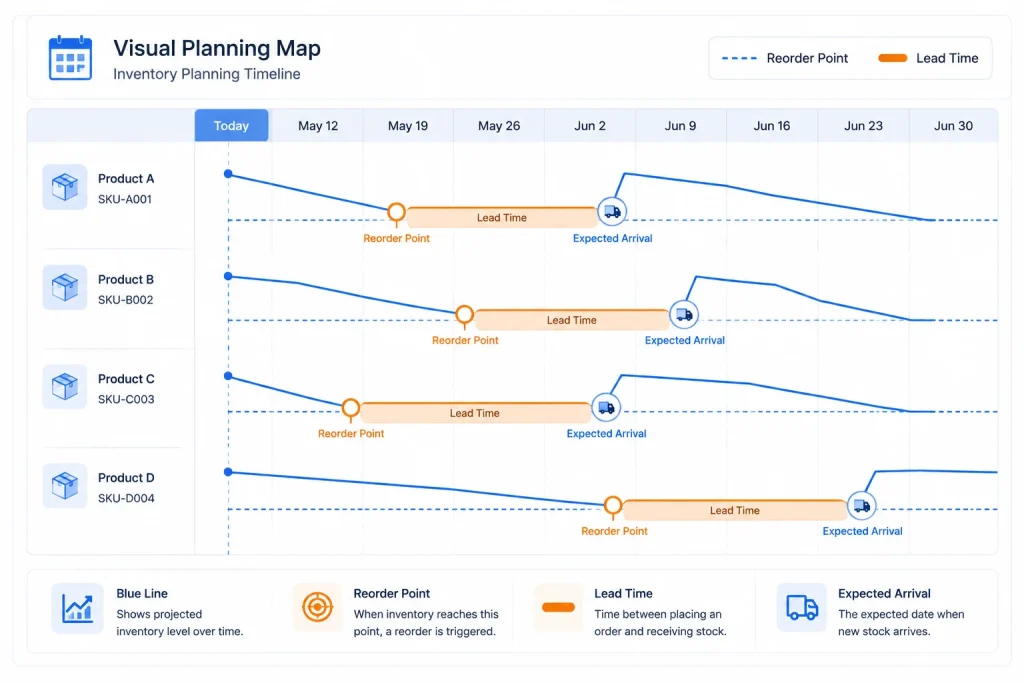
SoStocked helps Amazon sellers by focusing on forecast planning. The tool offers inventory management with a full visual map. It helps you plan better.
You can track lead times and reorder points easily. SoStocked also allows you to create order timelines. This helps prevent stockouts and overstocking.
The tool supports custom dashboards. You can use them to manage your sales goals. You can also assign roles to your team members. I recommend this one most often to clients who are already comfortable with spreadsheets but want the forecasting math handled for them automatically.
RestockPro
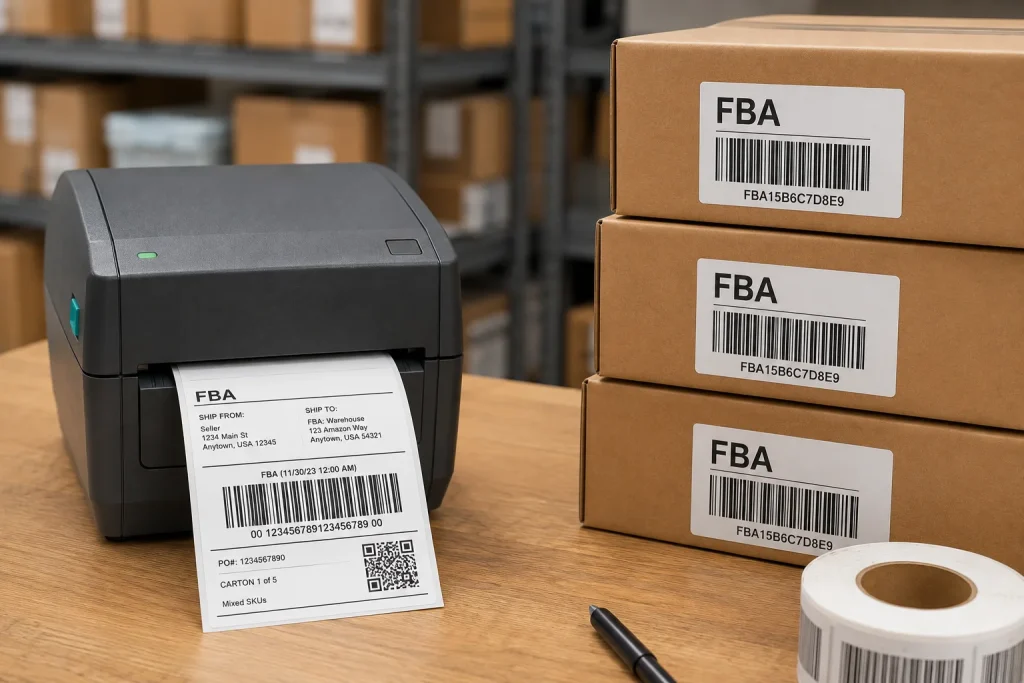
RestockPro is perfect for Amazon FBA sellers. It helps with restocking plans. The tool tracks your products and helps you reorder them on time.
You can see detailed reports on what is selling fast. You can also view items that are not moving. This helps you plan your next stock orders.
RestockPro makes it easy to print labels and track shipments. It gives you full visibility of your FBA inventory.
Linnworks
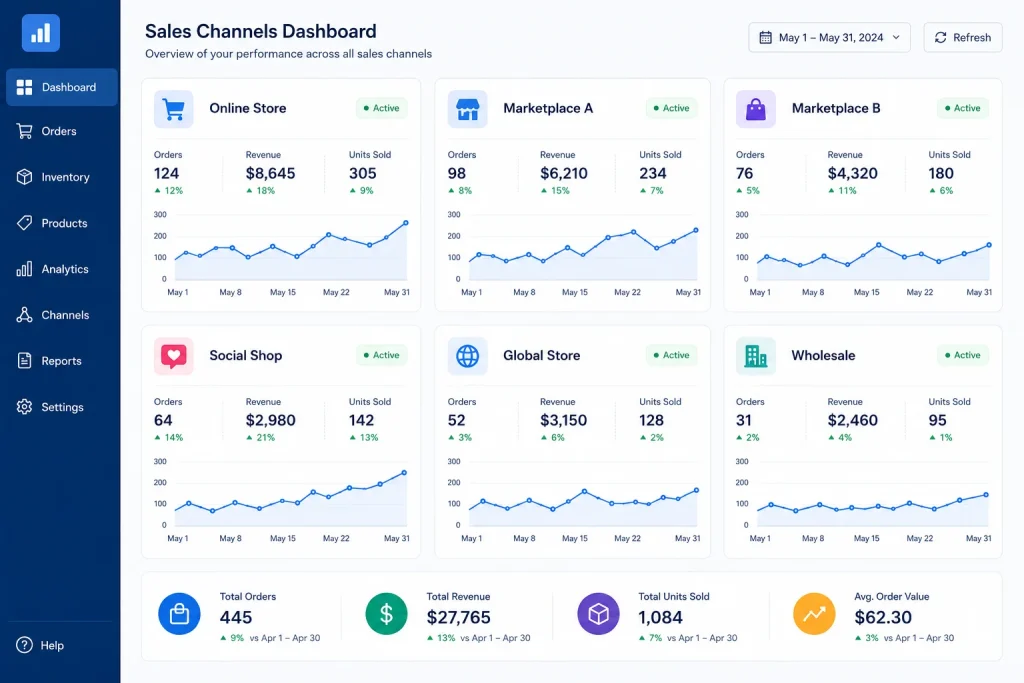
Linnworks connects your inventory across multiple sales channels. It gives you one dashboard to control everything. Sellers can manage listings and track inventory in real time.
It helps automate your workflows. Linnworks also adjusts your stock levels after every sale. You get full inventory control without doing things manually.
It also has useful reporting features. You can see which products are doing well. You can also identify your slow-moving stock with ease.
InventoryLab
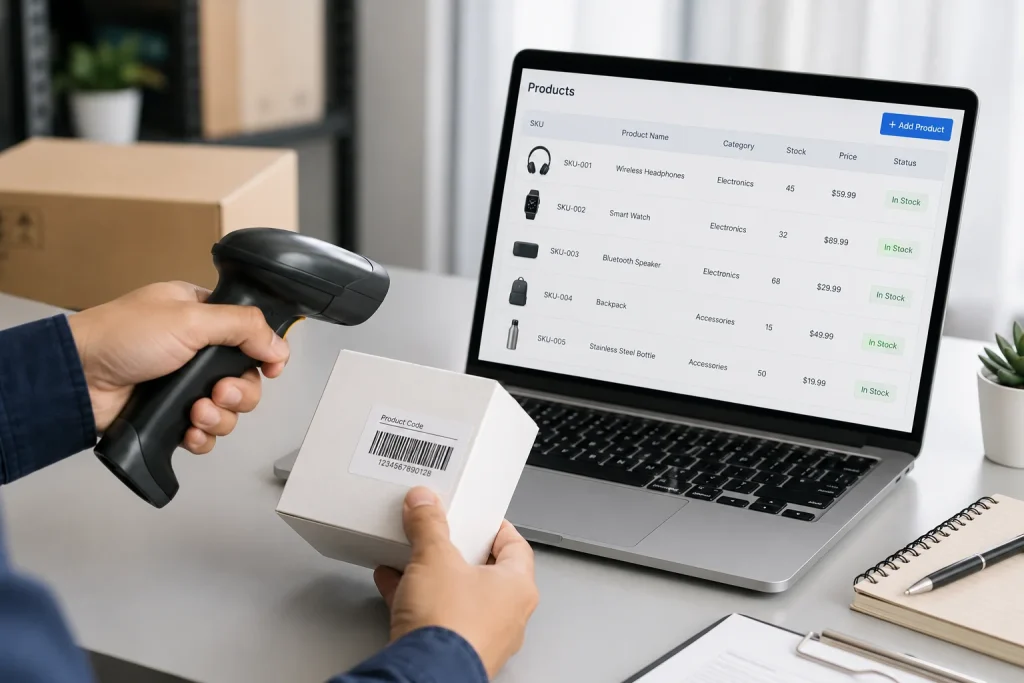
InventoryLab offers both inventory tracking and accounting. It helps sellers understand their business better. You can track profit margins. You can also view cost breakdowns.
It supports FBA sellers with listing, labelling, and shipment tools. You can get accurate reports on how your inventory moves. It helps reduce your storage fees.
You can also scan items and list them from the same screen. InventoryLab saves you time during the listing process.
Zoho Inventory
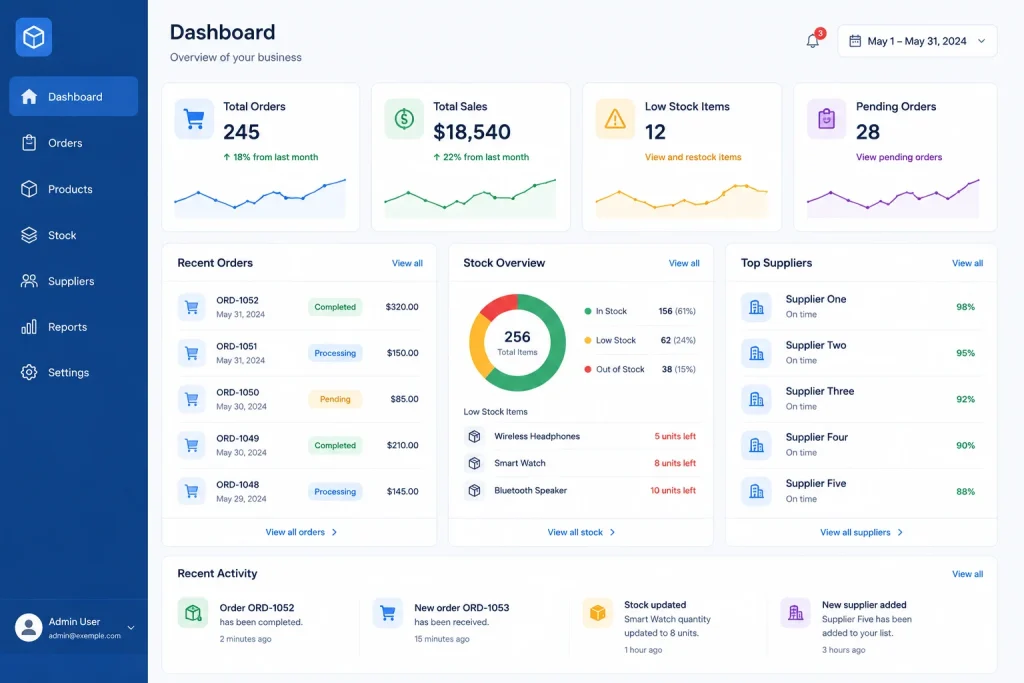
Zoho Inventory works for Amazon sellers who want simple tools. It offers automation, real-time updates, and easy integration. It works well with Amazon and other marketplaces.
You can track all your orders in one place. You can also set reorder levels. This helps avoid delays in fulfilling customer orders.
Zoho’s reporting dashboard gives deep insights. You can view sales trends. You can also manage suppliers more effectively.
Skubana
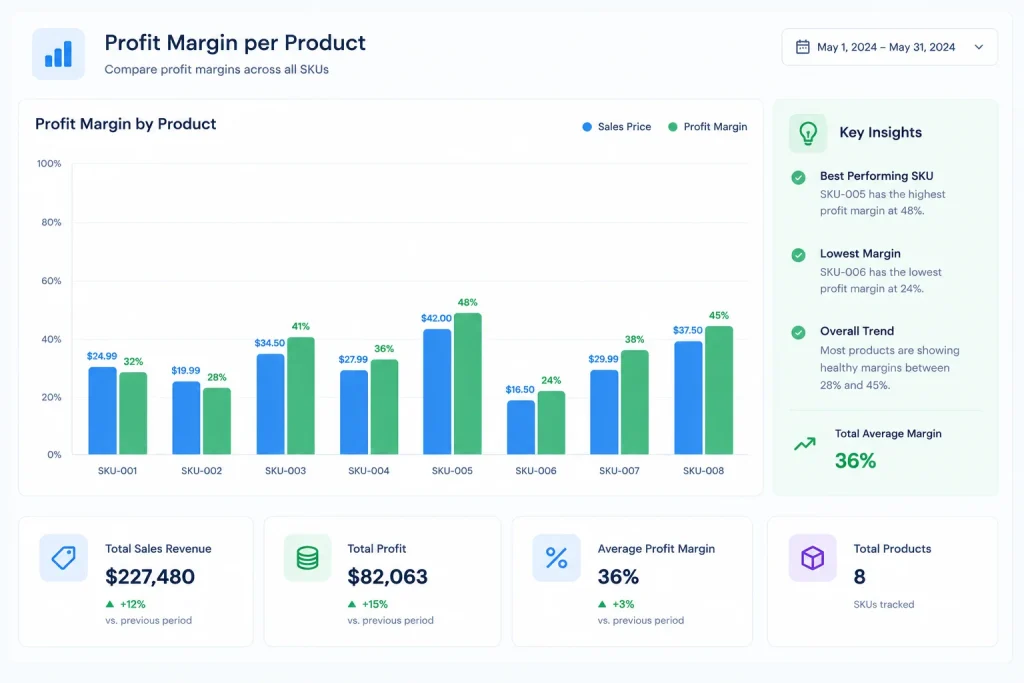
Skubana handles everything from order management to inventory syncing. Amazon sellers find it useful for its automation features. It removes manual work from your process.
Skubana connects with Amazon directly. It gives you full control over sales data. You can make smarter decisions based on real-time numbers.
Its analytics help sellers track margins. You can see how much profit you make per item. You can then plan your pricing better.
Expandly
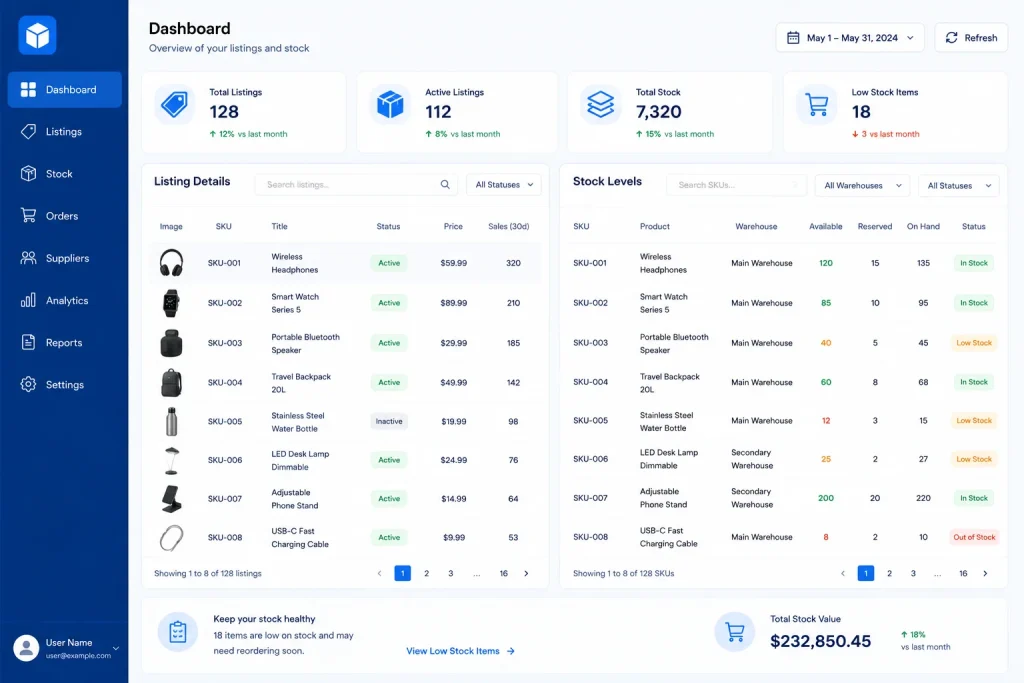
Expandly offers centralised inventory control. It supports multiple selling platforms. You can manage all your stock from one dashboard.
Sellers enjoy its automated tools. You can update listings and inventory without switching screens. This saves you time.
The platform also helps you process orders faster. You can connect Amazon and other sales channels. You can also sync your inventory automatically.
Flieber: Multi-Channel Monitoring With Intelligent Stock Alerts
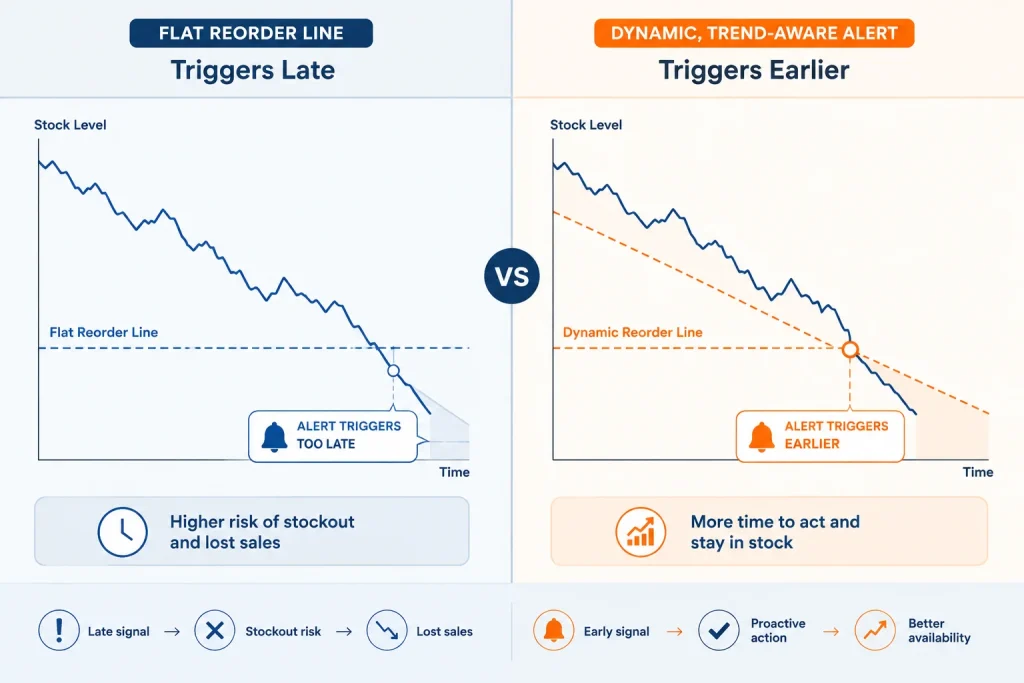
Flieber is worth its own section, since it is one of the more advanced options on this list and I think it gets overlooked compared to the bigger names. It is built specifically for sellers who need real-time monitoring across multiple channels, brought together into unified dashboards rather than several separate screens.
What sets Flieber apart in my experience is the intelligent stock level alerting. Instead of a flat reorder point, it factors in sales velocity trends and lead time variability to flag risk earlier than a simple threshold- based alert would. For a seller running inventory across Amazon plus a few other channels at once, this catches problems a basic tool would miss until stock is already critically low.
I generally point clients toward Flieber once they have outgrown a single-channel setup and need one source of truth across their whole business, rather than recommending it as a starting tool for someone just beginning on Amazon alone. The unified dashboard approach genuinely earns its complexity once you are managing more than one sales channel at a time.
Features to Consider Before Choosing a Tool
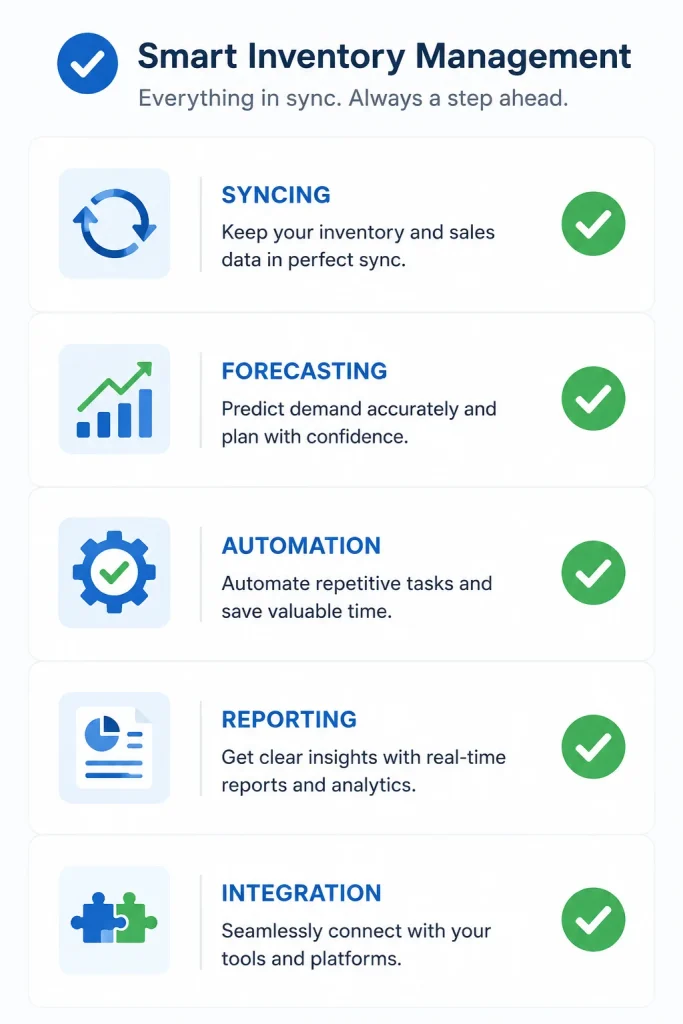
Before you pick your inventory management software, check what you need. Do you sell only on Amazon? Do you sell across multiple marketplaces? These details matter.
Look for the following in the best Amazon inventory management tools:
- Real-time stock syncing across Amazon and other platforms
- Smart forecasting based on past data and seasonal changes
- Automation of restocking alerts and supplier communication
- Clear reports that show profits, sales, and top-selling items
- Integration with shipping software or accounting tools
These features help you grow faster. They reduce errors. You can focus on getting more sales instead of fixing inventory problems.
Best Tools for Small Amazon Sellers

If you are a small seller, you do not need all the advanced features. You need something simple and affordable. Some tools work better for beginners.
Choose Amazon inventory management tools with easy setup. Tools like Zoho Inventory and Sellbrite offer user-friendly interfaces. They also cost less.
You can manage stock, create listings, and restock with fewer steps. These tools also grow with your business. As your sales go up, you can upgrade your plan.
Best Tools for Large Amazon Businesses

Large businesses need advanced solutions. They often have many SKUs and complex workflows. They must also manage teams and suppliers.
Tools like Skubana, Linnworks, and Flieber offer deep inventory features. These tools can automate almost every task. You can also assign user roles and manage warehouses.
These tools give detailed analytics. You can see how each SKU performs. You can also plan based on accurate demand forecasting.
How Inventory Tools Save Time and Money
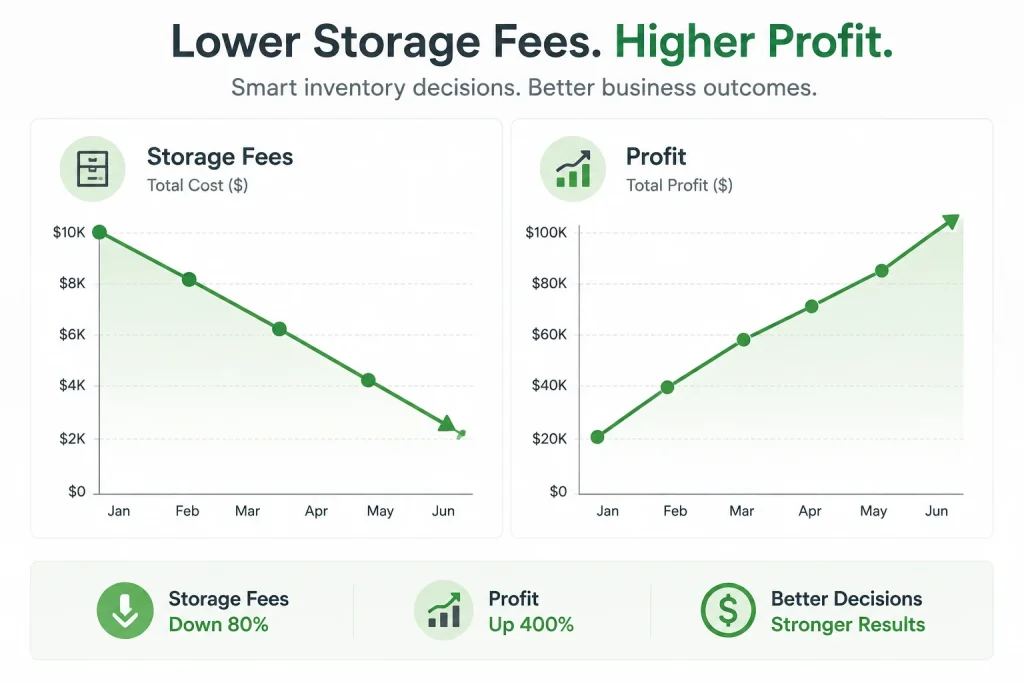
Every Amazon seller wants to work smarter. Inventory tools help you do that. They reduce manual work and errors. They also save you money.
You do not need to guess when to restock. The tool will alert you. You do not have to hire more staff to track inventory. The system handles everything.
With better forecasting, you can reduce storage fees. You will not order too much. You will not lose sales from stockouts. This improves your profit.
Common Mistakes to Avoid
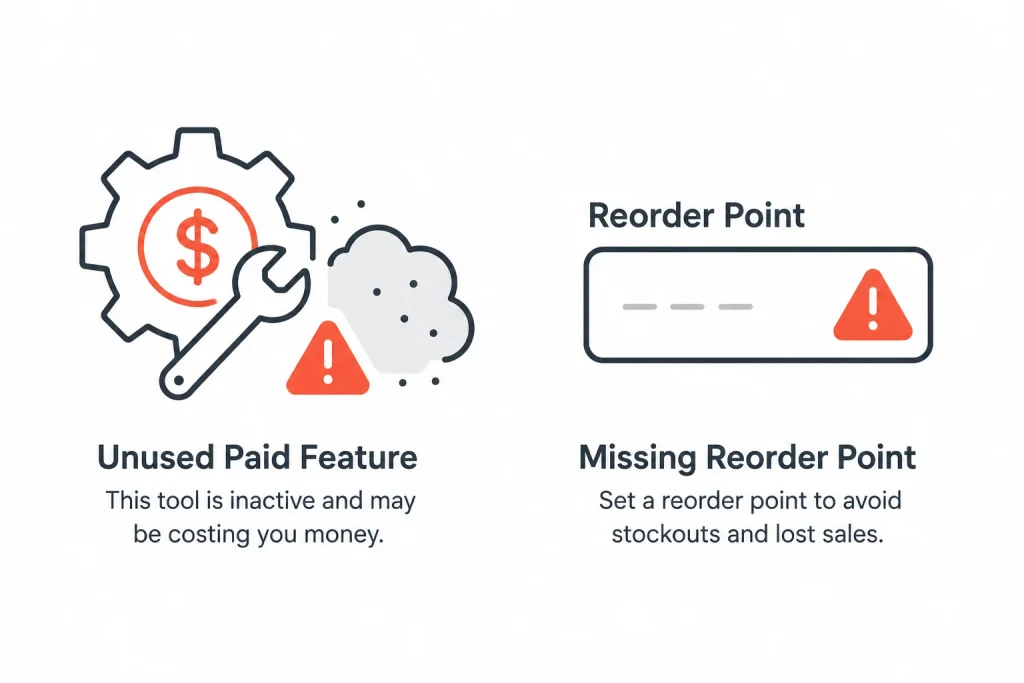
Many sellers pick the wrong tool. They pay for features they never use. You should check what your business really needs.
Some sellers do not update settings. They forget to set reorder points. This leads to delays. Always review your tool’s settings once a month.
Another mistake is not reading reports. Your tool gives helpful insights. Use them to improve your orders and pricing. I have audited more than one client account where an expensive tool was fully paid for and barely configured, essentially working as a very costly spreadsheet.
How to Choose the Right Tool in 2025

To choose the best inventory management software, start with a free trial. Test how it works with your Amazon account. See if the dashboard is easy to use.
Talk to customer support. Check if they respond fast. Good support helps you solve issues quickly. This can save you during busy seasons.
Compare the pricing plans. Pick the tool that matches your current size. Make sure it can grow with your business.
Case Studies: Real-Life Examples of Inventory Tools in Action
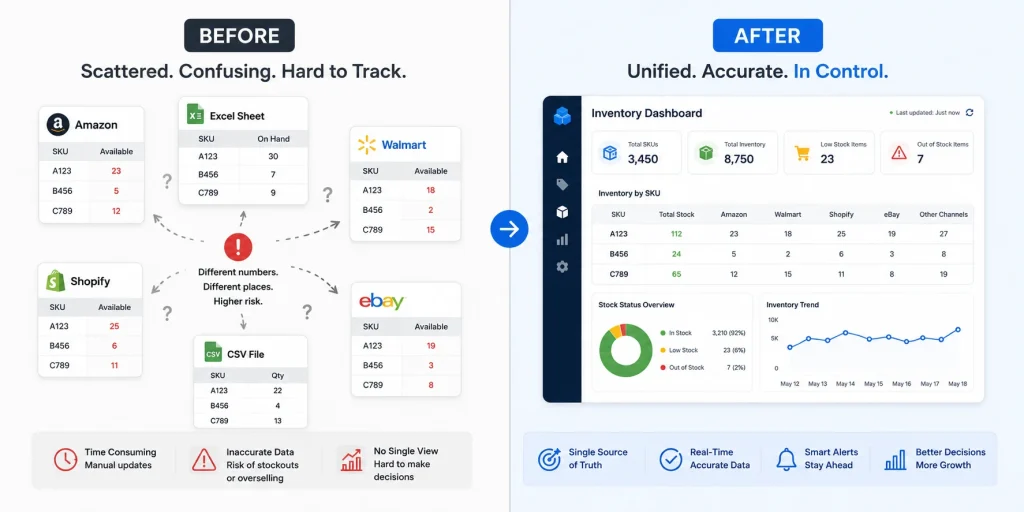
Case Study 1: Fixing a Multi-Channel Stockout With Flieber
A client selling across Amazon and two other marketplaces kept hitting stockouts on Amazon specifically, even though their total stock across all channels looked healthy on paper. The problem was that stock was being allocated unevenly, with other channels quietly pulling from the same pool without clear visibility. I set them up with Flieber’s unified dashboard so all channels showed real-time stock in one place, with intelligent alerts factoring in each channel’s individual sales velocity. Their Amazon-specific stockouts stopped within the first month, since the alerts caught the imbalance days before it would have shown up as an actual out-of-stock listing.
Case Study 2: Cutting Storage Fees With Better Forecasting
Another client was paying significant long-term storage fees on slow-moving inventory while simultaneously running low on their bestsellers. I moved them onto SoStocked and rebuilt their reorder points using actual lead time data from their suppliers instead of the rough estimates they had been using. Within one full inventory cycle, their long-term storage fees dropped noticeably, and their bestseller stockouts, which had been a recurring problem for months, stopped entirely once the reorder timing matched real supplier lead times rather than guesswork.
Frequently Asked Questions About Amazon Inventory Management Tools
It depends on your business size and how many channels you sell on. Zoho Inventory and Sellbrite work well for smaller, Amazon-focused sellers who want simplicity. Skubana, Linnworks, and Flieber suit larger businesses managing multiple channels and needing deeper automation.
Yes. Flieber is built specifically for real time, multi-channel inventory monitoring, bringing data from several sales channels into unified dashboards with intelligent stock level alerts based on sales velocity and lead time trends, rather than a simple fixed reorder threshold.
Most of the tools on this list offer a free trial rather than a permanently free plan, since ongoing multi-channel syncing and forecasting require continuous data processing. I recommend using the free trial period to test the dashboard against your actual account before committing to a paid plan.
If you have a small catalogue, Amazon’s own Inventory Performance Dashboard may be enough at first. Once you are managing multiple SKUs with different lead times, or you add a second sales channel, a dedicated tool like the ones covered here starts saving real time and preventing costly stockouts.
Pricing varies widely by tool and business size, generally scaling with your order volume or number of SKUs. I recommend comparing the free trial experience and support responsiveness as much as the price itself, since a cheaper tool that goes unconfigured ends up costing more in stockouts and storage fees than a slightly pricier one that is actually used properly.
Conclusion
If you are serious about your Amazon business, the right inventory tool can make a big difference. It can help you scale your store. It can also help you manage stock like a pro. For more help on choosing the right tool, visit Amazon Consultant today.